Free Macsoftware One click Download
Utility
TinkerTool System for Mac Free Download 8.92
02 years

Name : TinkerTool System
Size : 22 MB
TinkerTool System for Mac free Download
TinkerTool System is a comprehensive system utility designed to assist users in performing advanced administration tasks on Apple Macintosh computers. Here’s what you can expect from this powerful tool:
User-Friendly Interface: The application features a self-adapting user interface that adjusts automatically to your computer model and the version of macOS you are running. All options are accessible via “panes,” similar to the System Preferences application, making it intuitive to use.
Built-In Maintenance: Access built-in maintenance features of macOS that are not typically visible on the graphical user interface, ensuring your system runs smoothly.
Extended File Operations: Perform advanced file operations that are not available in the macOS Finder, giving you greater control over your file management tasks.
Access Advanced System Settings: Easily access advanced system settings that are not visible in System Preferences, allowing you to customize your system to your preferences.
Unique Features: Benefit from genuine and unique features of TinkerTool System designed to resolve typical real-world problems faced by administrators and fix certain defects (“bugs”) in the operating system.
Emergency Tool: Use the emergency tool to troubleshoot and repair macOS in cases where the graphical user interface is not starting correctly or the system administrator’s user account has been damaged.
Hardware Information: Collect advanced information about the hardware, operating system, and applications installed on your Mac, providing valuable insights for troubleshooting and optimization.
Perfect Substitute: TinkerTool System, along with its sister program TinkerTool, serves as a perfect substitute for various types of system utilities, including Finder enhancers, cache cleaners, bootable system installer creators, preference settings access tools, and more.
Compatibility: TinkerTool System is compatible with macOS 13.0 or later, ensuring compatibility with the latest versions of Apple’s operating system.
Whether you’re a novice user looking to perform basic maintenance tasks or an experienced administrator needing advanced troubleshooting tools, TinkerTool System provides a comprehensive solution for managing your Mac effectively. Visit the homepage to learn more: TinkerTool System
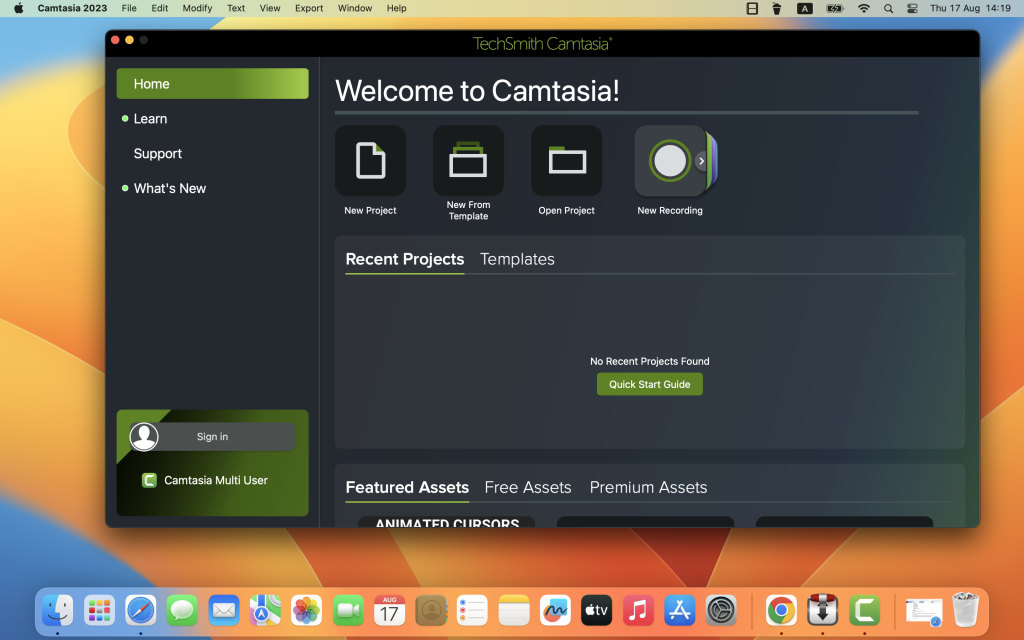
TechSmith Camtasia for Mac 2023.3.15
02 years

Name : TechSmith Camtasia
Size : 392 MB
TechSmith Camtasia for Mac free Download
Camtasia is a versatile video solution designed for creating professional-looking software demonstrations, product tutorials, online lessons, and recorded presentations with ease, even for users with no prior video experience. Here’s a breakdown of its key features and benefits:
Key Features:
- Pre-built Video Templates: Start creating videos quickly using pre-built templates tailored for various purposes, making the video creation process more efficient.
- Screen Recording: Capture your screen, import PowerPoint presentations, or add video footage to create engaging content. Recordings can be done with ease, even for beginners.
- Drag-and-Drop Editing: Edit your videos with drag-and-drop simplicity. Add effects, annotations, transitions, and more to enhance your video content and make it visually appealing.
- Easy Sharing: Share your videos effortlessly with anyone. Camtasia provides options for exporting videos in various formats, making it convenient to distribute your content across different platforms.
Benefits:
- Quick Learning Curve: Camtasia is designed to be user-friendly, allowing users to start creating high-quality videos without the need for advanced video editing skills or a large budget.
- Confidence in Video Creation: Whether you’re a seasoned video creator or a novice, Camtasia provides all the tools and resources needed to produce professional-quality videos with confidence.
- Increased Viewer Engagement: Videos are more engaging and interactive than text alone, making them an effective way to communicate information and engage with your audience effectively.
Ideal for:
- Video tutorials
- How-to videos
- Demo videos
- Meeting recordings
- YouTube videos
- Training videos
- Video lessons
- Webinar recordings
- Instructional videos
- Explainer videos
- Presentation recordings
- And more!
System Requirements:
- macOS 11.0 or later
With Camtasia, users can create polished videos for a wide range of purposes, from educational content to marketing materials. Its intuitive interface and powerful features make it a go-to solution for anyone looking to produce professional-quality videos without the complexity of traditional video editing software.
To learn more about Camtasia and start creating engaging videos, visit the official website at https://www.techsmith.com/.
CheckBook Pro for Mac 2.7.30
02 years

Name : CheckBook Pro
Size : 39 MB
CheckBook Pro for Mac free Download
CheckBook Pro offers more than just a basic check register and reporting tool. It combines the simplicity of CheckBook, our personal finance manager, with additional features to enhance your financial management experience. Here are some key features of CheckBook Pro:
- Comprehensive Reporting: Generate reports for all your accounts simultaneously, providing a comprehensive overview of your finances.
- Advanced Search: Conduct searches using various criteria, allowing you to quickly locate specific transactions.
- Smart Folders: Save complex searches as Smart Folders for easy access to frequently used search criteria.
- Transaction Grouping: Group transactions into folders to organize your finances efficiently, whether it’s tidying up or starting a new financial year.
- Batch Transaction Editing: Quickly update the details of multiple transactions at once, saving time and effort.
- Scheduled Transaction Reminders: View pending scheduled transactions for all your accounts with a single reminder, helping you stay on top of upcoming payments.
- Check Printing: Print your checks directly from CheckBook Pro, saving ink strokes and ensuring accurate check printing (requires pre-printed check paper).
- Importing: Import data from other personal finance apps or directly from your bank, with strong support for various file formats including OFX, QFX, QIF, CSV, and Text.
CheckBook Pro offers powerful data management tools while maintaining ease of use. Whether you’re tracking expenses, managing accounts, or preparing reports, CheckBook Pro simplifies the process and provides the tools you need to stay in control of your finances.
Please note that certain features may require pre-printed check paper or specific file formats for importing data. CheckBook Pro is designed to streamline your financial tasks and help you manage your money effectively.
TominLab WonderPen for Mac 2.4.6.7366
02 years

Name : TominLab WonderPen
Size : 152 MB
TominLab WonderPen for Mac Free Download
WonderPen is a versatile writing application designed to meet the needs of writers, students, and enthusiasts alike. Here are some of its key features:
- Tree View: Organize your writing projects efficiently with a tree view interface. Drag and drop to reorder documents as needed for seamless navigation and organization.
- Markdown Support: WonderPen features an intuitive text editor with full Markdown support, allowing you to format your documents with ease and precision.
- Full-Screen Mode: Enter full-screen mode to eliminate distractions and focus solely on your writing. This immersive writing environment enhances productivity and concentration.
- Export Options: Export your documents in various formats, including Image, PDF, and HTML, to share or publish your work effortlessly.
- Auto-Save: WonderPen automatically saves your work while you’re editing, ensuring that your progress is never lost. Additionally, you can back up all your documents as a single file for added peace of mind.
- Memo Support: Attach memos to individual documents to provide additional context or reminders related to your writing projects.
- Focus Mode: Zero in on a specific node of the document tree to concentrate on a particular section or aspect of your writing.
- Search Functionality: Quickly search through all your documents to find specific content or references.
- Automatic Backup: WonderPen includes automatic backup functionality to safeguard your work against unexpected data loss or system failures.
Whether you’re writing essays, articles, stories, or notes, WonderPen offers a user-friendly and efficient platform to bring your ideas to life.
WonderPen is compatible with macOS 10.13 or later. For support or feedback, users can reach out via the “Feedback” option in the “Help” menu.
To learn more about WonderPen or download the application, visit its homepage at https://itunes.apple.com/us/app/wonderpen/id1173437104.
Wondershare UniConverter 15.5.7.87 only Apple Silicon Mac Download
02 years

Name : Wondershare UniConverter
Size : 259 MB
Wondershare UniConverter 15.5.7.87 only Apple Silicon free Download
Wondershare UniConverter is a comprehensive video toolbox designed to meet all your video-related needs. From conversion and editing to downloading and burning, UniConverter offers a wide range of features to enhance your video experience. Here are some key highlights of Wondershare UniConverter:
- Video Conversion: Convert videos to and from virtually any video format with 30X faster conversion speed. Supported formats include AVI, WMV, MP4, MKV, FLV, 3GP, and more. UniConverter also supports converting video to 3D and 4K Ultra HD formats.
- Video Editing: Edit and enhance your videos with built-in editing tools. You can trim, crop, rotate, add watermarks, apply effects, adjust brightness, contrast, and saturation, and more.
- Video Downloading: Download videos from popular video-sharing sites like YouTube, Google, Yahoo, and others. You can download videos in various formats and resolutions for offline viewing.
- Video Burning: Burn video files to Blu-ray/DVD discs, DVD folders, or ISO files. Create personalized DVDs with custom menus, chapters, and subtitles.
- Video Compression: Compress large video files without compromising quality. Reduce file size for easier sharing and storage.
- Video Recording: Capture streaming videos, online meetings, gameplay, and more with the built-in screen recorder. Record your screen with audio from system sound or microphone.
- Video Organization: Organize your video library with UniConverter’s file management features. You can rename, merge, split, and batch process video files with ease.
- Media Playback: UniConverter also serves as a media player, allowing you to play back videos and audio files directly within the application.
The latest version, 15.5.7.86, includes various improvements and enhancements. However, detailed release notes were not available at the time of this listing.
Wondershare UniConverter is compatible with macOS 10.11 or later. To learn more about its features and capabilities, visit the official homepage: Wondershare UniConverter
Wondershare PDFelement Pro 10.3.6 for Mac (OCR)
02 years

Name : Wondershare PDFelement Pro
Size : 756 MB
Wondershare PDFelement Pro for Mac free Download
PDFelement is an intuitive software solution that simplifies the creation, editing, conversion, and signing of PDF documents. With the all-new PDFelement 8, users can enjoy a redesigned UI, advanced writing tools, enhanced team collaboration features, powerful conversion tools, a user management console, and more. Here are some key features of PDFelement Pro:
- OCR (Optical Character Recognition): Exclusive to the Pro version, OCR enables users to edit and convert characters in scanned PDF files or images. It supports recognition of 29 languages, making it easier to work with scanned documents.
- Create & Sign Forms: In the Pro version, users can create fillable PDF forms from interactive field objects like buttons, checkboxes, radio buttons, list boxes, and drop-down lists. Additionally, digital signatures can be added to forms for authentication.
- Merge PDF: Exclusive to the Pro version, users can combine files of different formats into a single PDF document, streamlining document management and organization.
- Convert PDF: The Pro version offers expanded conversion options, allowing users to convert PDF files to various output formats such as EPUB, HTML, Text, and RTF, providing greater flexibility in document sharing and distribution.
- PDF/A Support: PDF/A, an ISO standard for long-term archiving, is available as an output format in the Pro version, ensuring that documents are preserved for future reference and compliance.
- Batch Processing: Exclusive to the Pro version, users can process PDFs in batches, saving time and effort. Tasks like adding backgrounds, watermarks, headers, footers, and applying Bates Numbering can be performed in bulk.
- Redact PDF: In the Pro version, users can redact sensitive text and images in PDF documents, safeguarding confidential information and ensuring compliance with privacy regulations.
The latest version, 10.3.6 (OCR), introduces improvements and enhancements to the OCR functionality. It is compatible with macOS 10.15 or later.
To explore the full capabilities of PDFelement and experience seamless PDF document management, visit the official homepage: PDFelement
PopClip for Mac Download 2024.5
02 years

Name : PopClip
Size : 8 MB
PopClip for Mac free Download
PopClip is a handy status bar menu application designed to streamline text processing tasks on your Mac. Here’s how you can use it:
- Select Text: Use your mouse pointer to highlight some text.
- PopClip Appears: Once you’ve selected text, PopClip will appear as a popover menu, providing quick access to various text processing options.
Key Features:
- Beautiful Interface: PopClip features a beautifully rendered user interface that seamlessly integrates with your Mac display.
- Web Search: Instantly search the web for the selected text without leaving your current application.
- Open Links: Open web links directly with just one click from the popover menu.
- Dictionary Definitions: Get definitions and spelling corrections for the selected text.
- Popover Size Adjustment: Customize the size of the PopClip popover according to your preference, from small to very large.
- Fast and Convenient: PopClip is small, fast, and convenient, making it a great tool for working with text on your Mac.
Compatibility: macOS 10.13.6 or later
PopClip simplifies text processing tasks by providing quick access to essential functions right from your status bar. Explore more on the official website: PopClip Homepage
Final Draft for Mac Download 12.0.11
02 years

Name : Final Draft
Size : 120 MB
Final Draft for Mac free Download
Final Draft is the go-to application for writers working on movie scripts, television episodics, and stage plays. It simplifies the writing process by handling the script formatting automatically, allowing writers to focus solely on the content. Here are some of the top features of Final Draft:
Top Writing Features:
- Scene View: Easily outline and reorder scenes using a drag-and-drop interface.
- Navigator: View, sort, and filter important details of scenes, Scriptnotes, and Characters.
- Index Cards: Outline your story and restructure your script scene by scene.
- ScriptNotes: Make color-coded notes that won’t affect script pagination.
- Templates: Over 100 classic and current templates available, with the option to customize your own.
- Pagination: Final Draft ensures your script adheres to industry standards for formatting and pagination.
- Watermarking: Add watermarks when printing or saving scripts to PDF.
- Panels System: Split your screen to view scene outlines while writing.
- Format Assistant: Check for formatting errors after completing your first draft.
- Retina and Full Screen Support: Distraction-free writing with full screen mode and retina display compatibility.
- Mac OSX Dictation Support: Utilize Mac’s built-in dictation feature for hands-free writing.
Top Production Features:
- Title Page: Easily create a professional Title Page for your script.
- Revision Mode: Save different revisions for production purposes.
- Page Locking: Omit scenes, lock pages, and set revision colors.
- Colored Production Pages: Colored borders and solid color production pages in PDF for distribution.
- Character Highlighting: Highlight specific characters’ lines for table reads or tracking dialogue.
- Customizable Reporting: Seven different reports available including Scene, Character, and Location reports.
Compatibility: macOS 10.15 or later
Final Draft streamlines the writing and production process, making it an essential tool for writers in the entertainment industry. Explore more on the official website: Final Draft Homepage

Disk Doctor for Mac free Download 4.5
02 years

Name : Disk Doctor
Size : 8 MB
Disk Doctor for Mac free Download
Disk Doctor offers a convenient solution to free up significant disk space on your hard drive by removing unnecessary files. With just a few clicks, you can selectively remove files from various categories, including:
- Applications Caches
- Application Logs
- Browser Data
- Mail Downloads Folder
- Downloads Folder
- Large Files (files within your user folder that are larger than 100 MB)
- Partial Downloads
- Developer Files
- Old iOS Software Updates
- Trash Can
The application now boasts a completely redesigned user interface with full Retina support, ensuring a seamless user experience.
Compatibility: OS X 10.7 or later, 64-bit processor
Free up valuable disk space on your Mac by downloading Disk Doctor from the Mac App Store: Disk Doctor on the Mac App Store
RAR Extractor Max – Unzip File for Mac 12.3
02 years

Name : RAR Extractor Max – Unzip File
Size : 14 MB
RAR Extractor Max – Unzip File for Mac free Download
“RAR Extractor Max” builds upon the strengths of its predecessor, “RAR Extractor Pro,” offering a redesigned user interface and enhanced functionality. Here are some of its key features:
- Wide Format Support: Extract files from various formats including RAR, winmail.dat, ZIP, 7z, tbz, sti, tar, xar, lha, lzh, hqx, bin, bz2, bzip2, bz, xz, iso, cid, nrg, mdf, taz, lzma, exe, msi, cpio, lzx, jar, swf, xip, ace, arj, pak, pkg, apk, lbr, lqr, cab, rpm, cpt, sea, pdf, nsa, dcs, now, spk, and more.
- Encrypted Archive Support: Unarchive and unrar encrypted archives with ease, ensuring that your sensitive data remains secure.
- Preview Before Extraction: Quickly preview files within an archive using Quick Look, allowing you to verify the contents before extraction.
- Convenient Extraction Options: Extract individual files or folders from archives, or choose to unarchive the entire contents.
- Integration with macOS: Seamlessly integrate with macOS by setting “RAR Extractor Max” as the default archiver, enabling double-click extraction and drag-and-drop functionality.
- Batch Decompression: Efficiently decompress multiple archives in one go, saving you time and effort.
- Password Protection: Create password-protected ZIP and 7Z archives using the AES256 encryption algorithm, ensuring the security of your compressed files.
- User-Friendly Interface: Benefit from a redesigned user interface that enhances usability and makes working with archives intuitive and straightforward.
“RAR Extractor Max” is designed to meet the needs of users who require a reliable and versatile tool for managing compressed files on macOS. Whether you’re extracting files from various formats, creating encrypted archives, or previewing contents before extraction, this app provides the functionality you need.