Free Macsoftware One click Download
Utility
ForkLift for Mac Download 4.1.3
02 years

Name : ForkLift
Size : 13 MB
ForkLift for Mac free Download
ForkLift: Powerful File Manager and FTP Client for Mac
ForkLift is a robust file manager and an exceptionally fast FTP client designed for Mac users. With its clean and versatile user interface, it combines simplicity with powerful features, making it an ideal tool for managing files and remote connections.
Key Features
Comprehensive Connectivity:
- Remote Server Connections: Connect to a wide range of remote servers including SFTP, FTP, WebDAV, Amazon S3, Backblaze B2, Google Drive, Rackspace CloudFiles, SMB, AFP, and NFS.
- Local Network Shares: Access and manage local network shares easily.
File Management Tools:
- Folder Synchronization: Sync folders between different locations.
- Multi-Rename: Rename multiple files efficiently with advanced options.
- Archive Handling: Manage and extract archives directly within ForkLift.
- Application Deleter: Uninstall applications completely, removing all associated files.
- Remote File Editing: Edit files over remote connections without needing to download them first.
User Interface:
- Dual-Pane Interface: Work with two directories side-by-side, enhancing workflow and file management efficiency. The panes can be split vertically or horizontally.
- Finder-like Experience: The interface is intuitive and familiar, incorporating features like Quick Look and Spotlight search.
- Dark Mode: Supports dark mode for comfortable usage in low-light environments.
- Tabs and Workspaces: Organize your workflow with tabs and customizable workspaces.
Advanced Functionalities:
- ForkLift Mini: Access ForkLift’s capabilities from the menu bar for quick tasks.
- Two-Way Sync: Synchronize files in both directions between two locations.
- Quick Open: Quickly access files and applications.
- Favorite Sync: Sync your favorites using Dropbox.
- Disklet: Mount remote servers as local drives.
- Sync Browsing: Browse synchronized directories simultaneously.
- Transfer Bandwidth Throttling: Control the speed of file transfers to manage network usage.
- Tags Support: Utilize macOS tags for organizing files.
Integration and Support:
- Dropbox Integration: Directly support and manage files on Dropbox.
- Search and Selection: Search by name, extension, kind, tags, or content, and use Quick Select to manage files.
- App Deleter: Cleanly uninstall applications.
- Archive Management: Handle various archive formats.
- Keyboard Control: Efficiently manage files using keyboard shortcuts.
- FXP Copy: Directly transfer files between servers.
- Tools Integration: Support for Git and opening terminals like Terminal, iTerm, or Hyper.
- File Compare: Compare files using FileMerge, Kaleidoscope, Beyond Compare, and Araxis Merge.
Additional Features:
- Hidden Files: Show or hide hidden files.
- Multilingual Support: Available in multiple languages including English, German, Hungarian, Polish, Russian, and Ukrainian.
- Set as Default File Viewer: Option to set ForkLift as the default file manager.
Compatibility
- macOS Compatibility: Requires macOS 12.0 or later.
- Latest Version: Version 4.1.3 (release notes unavailable at the time of listing).
System Requirements
- Disable System Integrity Protection (SIP): To perform certain operations, SIP needs to be disabled.
For more information and to download ForkLift, visit the official ForkLift homepage.

Wondershare PDFelement Pro 10.3.7 for Mac (OCR)
02 years

Name : Wondershare PDFelement Pro
Size : 756 MB
Wondershare PDFelement Pro for Mac free Download
PDFelement 10 is a robust and user-friendly application designed to create, edit, convert, and sign PDF documents. The latest version, PDFelement 10.3.7, introduces an enhanced UI, advanced writing tools, improved team collaboration features, powerful conversion tools, and a user management console, making it a versatile tool for handling all your PDF needs.
Key Features
- OCR (Optical Character Recognition) – Pro Version:
- Edit and convert characters in scanned PDF files or images.
- Supports recognition of 29 languages.
- Create & Sign Forms – Pro Version:
- Create fillable PDF forms using interactive field objects like buttons, checkboxes, radio buttons, list boxes, and drop-down lists.
- Add digital signatures to forms.
- Merge PDF – Pro Version:
- Combine files of different formats into a new PDF.
- Convert PDF – Pro Version:
- Convert PDF files to various output formats such as EPUB, HTML, Text, RTF.
- Supports PDF/A output format for long-term archiving (ISO Standard).
- Batch Processing of PDF Files – Pro Version:
- Process multiple PDFs simultaneously.
- Add backgrounds, watermarks, headers, and footers in batches.
- Bates Numbering – Pro Version:
- Apply Bates Numbering with advanced formatting options.
- Redact PDF – Pro Version:
- Redact sensitive text and images to protect confidential information.
- Additional Features:
- Redesigned user interface for improved user experience.
- Enhanced team collaboration tools.
- Advanced writing tools for better document management.
- User management console for enterprise-level control.
System Requirements
- Operating System: macOS 10.15 or later
Homepage
For more information and to download, visit the PDFelement homepage.
Conclusion
PDFelement 10 is a comprehensive tool for managing PDFs, offering a wide range of features suitable for both individual and professional use. Its Pro version unlocks additional capabilities like OCR, form creation, batch processing, and advanced conversion options, making it an excellent choice for those who require extensive PDF management functionalities. Whether you need to edit, convert, sign, or secure your PDFs, PDFelement 10 provides all the tools necessary to streamline your workflow.
PDF Expert for Mac Download 3.10.3
02 years
Name : PDF Expert
Size : 110 MB
PDF Expert for Mac free Download
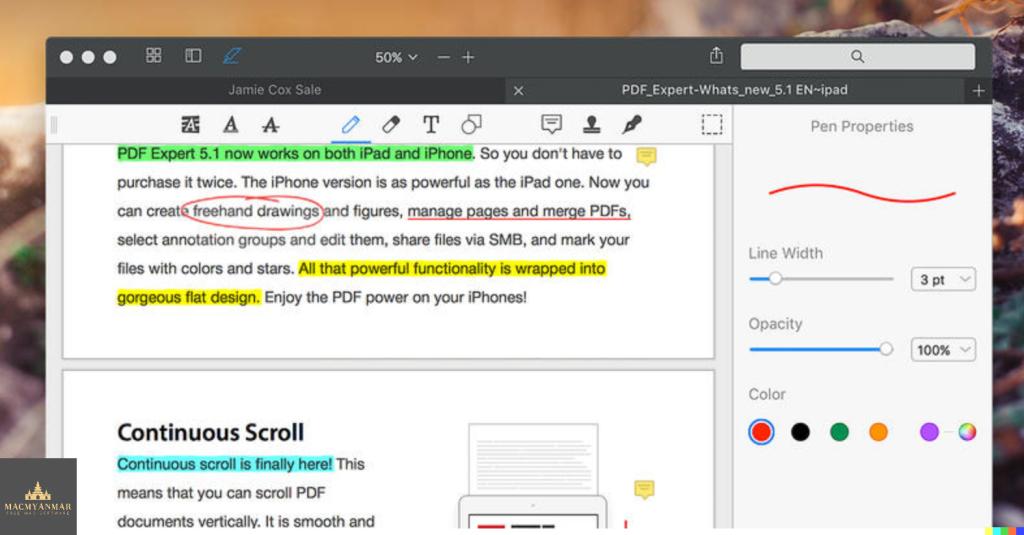
PDF Expert is a powerful and versatile PDF management application designed for macOS. It offers a wide range of features to enhance your PDF reading, annotation, form filling, and document signing experiences. Known for its smooth scrolling, fast search capabilities, and seamless integration across Apple devices, PDF Expert is a must-have tool for anyone who regularly works with PDF files.
Key Features
- Smooth and Fast PDF Viewing:
- Instantly opens PDFs, whether they are small attachments or large documents.
- Supports smooth scrolling and fast search functions.
- Professional Annotation Tools:
- Easy-to-use annotation tools for making simple changes or engaging in extensive editing sessions.
- Includes highlighting, underlining, strikethroughs, and other annotation options.
- Tabbed Document Viewer:
- Award-winning viewer that allows for fast navigation through multiple PDFs using tabs.
- Form Filling Excellence:
- Provides a superior experience for filling out PDF forms.
- Supports text fields, checkboxes, radio buttons, and other form elements.
- Handles complex interactive forms with JavaScript effectively.
- Easy Document Signing:
- Simplifies the process of signing documents on your Mac.
- Allows for typing your name, using the trackpad to write your signature, or using pre-existing signatures from PDF Expert for iOS.
- Wide Sharing Options:
- Excellent support for macOS’s system-wide share sheet and other apps.
- Easily share PDFs with clients, coworkers, and others.
- Cross-Device Compatibility:
- Works seamlessly across all Apple devices, including Mac, iPad, and iPhone.
- Utilizes Apple’s Continuity and Handoff features to transfer documents between devices effortlessly.
System Requirements
- Operating System: macOS 10.13 or later
Homepage
For more information, visit the PDF Expert homepage.
Conclusion
PDF Expert is a comprehensive and user-friendly PDF management tool that enhances your productivity by providing fast and efficient PDF viewing, editing, annotation, form filling, and signing capabilities. Its smooth integration with other Apple devices and apps makes it a versatile choice for professionals and casual users alike. Whether you need to annotate documents, fill out forms, or sign contracts, PDF Expert offers a robust solution that meets all your PDF-related needs.
MarsEdit for Mac Download 5.2.0
02 years

Name : MarsEdit
Size : 23 MB
MarsEdit for Mac free Download
MarsEdit is a robust desktop application designed for bloggers who prefer to write and manage their blog content offline on their Mac. It offers a range of features that enhance the blogging experience, making it easier and more efficient to create, edit, and publish posts.
Key Features
- Wide Range of Blogging Service Support:
- MarsEdit supports popular blogging platforms including WordPress, Blogger, TypePad, Tumblr, Movable Type, and any service compatible with MetaWeblog or AtomPub interfaces.
- Versatile Writing Options:
- Write using HTML, RTF, or Markdown.
- Live preview feature to see how your post will look before publishing.
- Integration with Text Editors:
- Seamless integration with TextMate, WriteRoom, TextWrangler, BBEdit, and other text editors that support the ODBEditor suite.
- Easy Media Management:
- Quickly search and import images from iPhoto, Lightroom, Flickr, or Aperture libraries with a single click.
- Offline Drafting and Local Saves:
- Write and save drafts locally, allowing you to work offline and publish when you have an internet connection.
Benefits
- Improved Efficiency:
- Streamline your blogging process by managing everything from a native Mac app, eliminating the need for clunky web interfaces.
- Convenient Offline Writing:
- Write blog posts anytime, anywhere, without needing an internet connection. This is perfect for drafting posts during travel or when internet access is unreliable.
- Rich Text and Markdown Support:
- Flexibility to write in your preferred format, with live previews to ensure your posts look just right.
- Enhanced Media Handling:
- Simplify adding images and media to your posts with easy access to your photo libraries.
User Experience
While MarsEdit boasts a robust feature set and a user-friendly interface, it is worth noting that the application’s design has remained relatively unchanged over the years. The interface is straightforward and intuitive, making it easy to manage your blog. However, some users might find it a bit dated in terms of visual aesthetics.
Despite this, the functionality and convenience MarsEdit offers make it an excellent tool for bloggers seeking to streamline their workflow and write posts offline.
System Requirements
- Operating System:
- Compatible with macOS 10.15.4 or later.
Homepage
For more details, features, and download options, visit the MarsEdit homepage.
Conclusion
MarsEdit is a valuable tool for bloggers who want to enhance their writing and publishing process. With support for multiple blogging platforms, versatile writing options, and offline capabilities, MarsEdit provides a comprehensive solution for managing your blog from your desktop. While its interface may appear a bit dated, the application’s efficiency and functionality more than make up for it, making it a worthwhile investment for any serious blogger.
Dropshare for Mac Download 5.51
02 years

Name : Dropshare
Size : 51 MB
Dropshare for Mac free Download
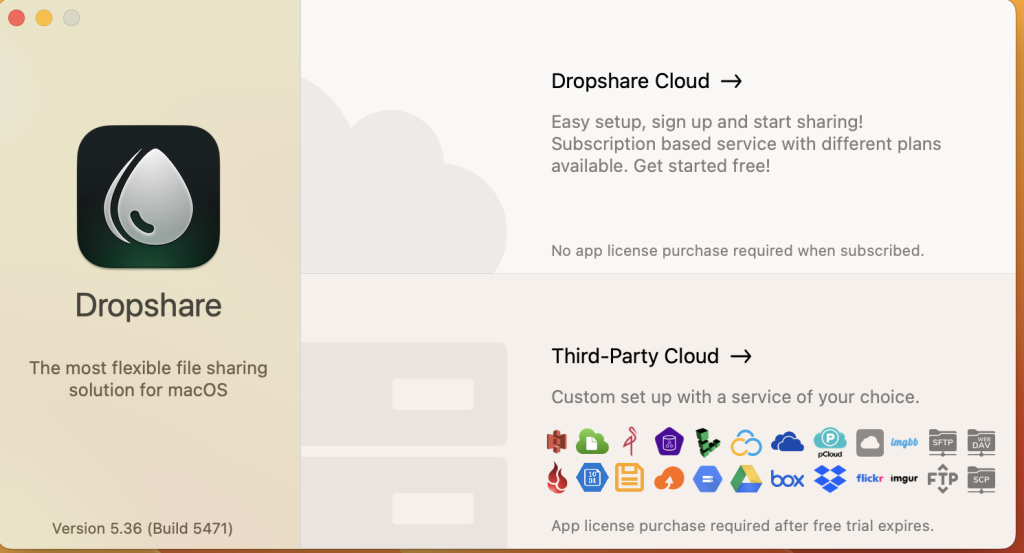
Dropshare is a powerful and versatile file sharing tool designed for macOS, enabling users to securely upload and share files, folders, text, and screenshots. It supports various upload destinations, including your own server, Amazon S3, Rackspace Cloud Files, and Google Drive, providing a seamless and private file-sharing experience. Here’s an overview of its features and capabilities:
Key Features of Dropshare
- Wide Range of Uploads:
- Files and Folders: Drag and drop files, folders, text, and screenshots to upload them to your chosen destination.
- Clipboard Uploads: Upload data directly from the clipboard or other applications like Safari.
- Secure Upload Protocols:
- SCP over SSH: Supports SCP over SSH, a secure protocol for file transfers.
- Cloud Integration: Uploads to Amazon S3, Rackspace Cloud Files, and Google Drive, connecting directly to your own storage containers without third-party involvement.
- Multiple Connections:
- Multiple Upload Destinations: Set up and switch between different upload destinations using user-defined keyboard shortcuts.
- Automatic Screenshot and Screen Recording Uploads:
- Screenshot Uploads: Set up keyboard shortcuts for fullscreen or selection-based screenshots that upload automatically.
- Screen Recordings: Capture and upload screen recordings, with options for fullscreen and selection-based recordings.
- Enhanced Security:
- Dropshare Safe: Create access-restricted URLs for your uploads with password protection and/or expiration dates.
- Customizable Landing Pages:
- Individual Designs: Choose from free designs or create custom landing pages using HTML, CSS, and JavaScript. Embedded previews are available for several file types.
- URL Shortening:
- Native and Custom Shorteners: Supports native URL shorteners (e.g., dsh.re) and custom URL shorteners like bit.ly or YOURLS.
- Synchronization and Management:
- Dropshare Sync: Sync your upload history across all devices with Dropshare installed.
- 1-Click Delete: Easily delete files from your server with a single click.
- Markdown Conversion:
- Markdown to HTML: Automatically convert Markdown files to HTML if enabled.
- macOS Integration:
- Services Menu: Integrates with the macOS Services Menu, allowing you to create keyboard shortcuts for specific actions.
- IPv6 Compatibility:
- IPv6 Ready: Fully functional in IPv6 environments.
Compatibility
- OS Requirement: Compatible with macOS 10.10 or later.
Availability
- Homepage: More information and the download link can be found on the official Dropshare website.
Summary
Dropshare is a comprehensive file-sharing solution that emphasizes security, flexibility, and ease of use. With support for various upload destinations, automatic uploads, customizable landing pages, and strong security features, Dropshare is ideal for users who need a reliable and private way to share files on macOS. Whether you’re managing professional data or sharing personal media, Dropshare provides the tools and features to do so efficiently and securely.
Invisor for Mac Download 3.25
02 years

Name : Invisor
Size : 19 MB
Invisor for Mac free Download
nVisor is a comprehensive tool for displaying and analyzing technical information about video, audio, and photo files. It supports a wide array of file formats and provides detailed metadata information, making it an essential utility for media professionals and enthusiasts. Here’s a detailed overview of its features and capabilities:
Key Features of nVisor
- Format Support:
- Video and Audio Formats: Supports a variety of formats including MPEG-1/2/4, Matroska, WMV, XVID, AVI, MXF, MOV, MJPEG, MP3, AAC, Vorbis, AC-3, DTS, WMA, ALAC, FLAC, PCM, and more.
- Photo Formats: Supports JPEG, TIFF, PNG, and most raw formats from various cameras.
- Detailed Technical Information:
- File Containers and Media Streams: Displays comprehensive information about file containers, media streams, subtitles, and chapters.
- Photo Metadata: Shows EXIF, IPTC, GPS, XMP, and MakerNote tags for photos.
- Export and Comparison:
- Export Information: Allows exporting gathered information in multiple formats such as Text, HTML, XML, JSON, and CSV.
- Comparison Table: Enables comparison of collected data, which can be exported to a CSV document for further analysis.
- Privacy Features:
- Geolocation Metadata Removal: Includes a command to remove geolocation metadata from photos and MPEG-4 (QuickTime) movies to protect your privacy when sharing media files.
Compatibility
- OS Requirement: Compatible with OS X 10.7.3 or later versions.
Availability
- Mac App Store: nVisor can be downloaded from the Mac App Store.
Summary
nVisor is a versatile and powerful application for displaying and comparing technical metadata of various media files. Its support for a wide range of formats and detailed metadata extraction, combined with export and comparison capabilities, makes it an invaluable tool for anyone needing in-depth analysis of their media files. Additionally, its privacy features ensure that sensitive location data can be removed before sharing files, adding an extra layer of security for users.
Colori for Mac Download 1.4
02 years

Name : Colori
Size : 6 MB
Colori for Mac free Download
Colori is a versatile and user-friendly color palette generator designed specifically for macOS. It provides a wide array of features to help you create beautiful color schemes effortlessly. Here’s a detailed look at what Colori offers:
Key Features of Colori
- User-Friendly Interface:
- Ease of Use: Colori is designed to be intuitive and easy to navigate, making it simple to generate and customize color palettes.
- Accessibility: All features are easily accessible, ensuring a smooth user experience.
- Color Palette Generation:
- Diverse Palette Options: Create a variety of color schemes, including complementary, analogous, triadic, tetradic, and more.
- Customization: Fine-tune your color palettes with precise controls for hue, saturation, and brightness.
- Advanced Tools:
- Color Harmonies: Explore different color harmonies to find the perfect combination for your project.
- Color Adjustments: Modify individual colors within a palette to achieve the exact shade you need.
- Export and Sharing:
- Multiple Formats: Export your color palettes in various formats suitable for different applications, such as HEX, RGB, and more.
- Easy Sharing: Share your color schemes with others directly from the app.
- Integration:
- Design Software Compatibility: Compatible with popular design tools, allowing seamless integration into your workflow.
Compatibility
- macOS Requirement: Compatible with macOS 12.0 or later versions.
Availability
- Homepage: You can download and learn more about Colori from the official Colori website.
Colori stands out as a comprehensive tool for anyone involved in design, providing an extensive range of features to create, customize, and share stunning color palettes directly from your Mac. Whether you’re a professional designer or a hobbyist, Colori is designed to meet all your color scheme needs with ease.
QR Wizard for Mac Download 2.2
02 years

Name : QR Wizard
Size : 6 MB
QR Wizard for Mac free Download
QRwiz is a powerful and user-friendly application for macOS that allows you to generate and style beautiful QRCode images. Here’s a detailed overview of its features and capabilities:
Key Features of QRwiz
- Ease of Use:
- Simple and Practical: The application is designed to be intuitive and easy to use. You just need to input your data or text, and the app will generate the QRCode for you.
- Quick Setup: Minimal steps required to create a QRCode, making it accessible for users of all levels.
- Customization Options:
- Color Options: Customize the colors of your QRCode to match your branding or personal preference.
- Shape Options: Various shapes available to make your QRCode unique and eye-catching.
- Extensive Customization: Numerous other options to fine-tune the appearance and style of your QRCode.
- Performance:
- Lightning Fast: The app works quickly and efficiently, generating QRCodes almost instantaneously.
- Export Formats:
- PNG: High-quality raster image format.
- JPG: Widely used raster image format.
- SVG: Scalable vector graphic format for high-quality print and digital use.
- ASCII Art: Unique option to export your QRCode as ASCII art for text-based applications.
What’s New in Version 2.2
- Release Notes: Specific details were not available at the time of the listing update.
Compatibility
- macOS Requirement: Compatible with macOS 10.13 or later versions.
Availability
- Homepage: The app can be accessed and downloaded from the official QRwiz website.
QRwiz is an excellent tool for anyone looking to create customized and attractive QRCodes quickly and easily. Its range of features and export options makes it a versatile choice for both personal and professional use.
Little Snitch for Mac Download 5.7.4
02 years

Name : Little Snitch
Size : 30 MB
Little Snitch for Mac free Download
Little Snitch is an essential macOS application that offers powerful network monitoring and connection control to safeguard your privacy. Here’s what you can expect from this versatile tool:
- Network Traffic Monitoring: Little Snitch provides a well-designed interface for filtering connections and monitoring network traffic with ease. Animated and informative diagrams offer real-time insights into bandwidth usage, connectivity status, traffic totals, and detailed traffic history.
- Silent Mode: Stay focused on your work without interruptions by enabling Silent Mode, which suppresses network-related notifications. You can review the Silent Mode Log to create rules for connection attempts during this period.
- Profile Management: Organize your rules into different profiles and activate them as needed from the status bar menu. Automatic Profile Switching associates networks with specific profiles, allowing you to apply different rulesets based on your location or network.
- Temporary Rules: Set up temporary rules that are effective for a limited period of time, offering flexibility in managing your network connections.
- Automatic Analysis: Little Snitch automatically analyzes your ruleset to identify overlapping, redundant, or invalid rules, helping you maintain an optimized and efficient configuration.
- Updates: The latest version, Little Snitch 5.7, ensures compatibility with macOS 14 Sonoma and addresses rare issues with connection alerts in multiple Spaces. Additionally, potential crashes related to notifications have been fixed.
With its comprehensive features and user-friendly interface, Little Snitch is a valuable tool for monitoring and controlling network traffic on macOS systems.
Compatibility: macOS 11.0 or later • Apple Silicon or Intel Core processor
For more information, visit the official homepage: Little Snitch
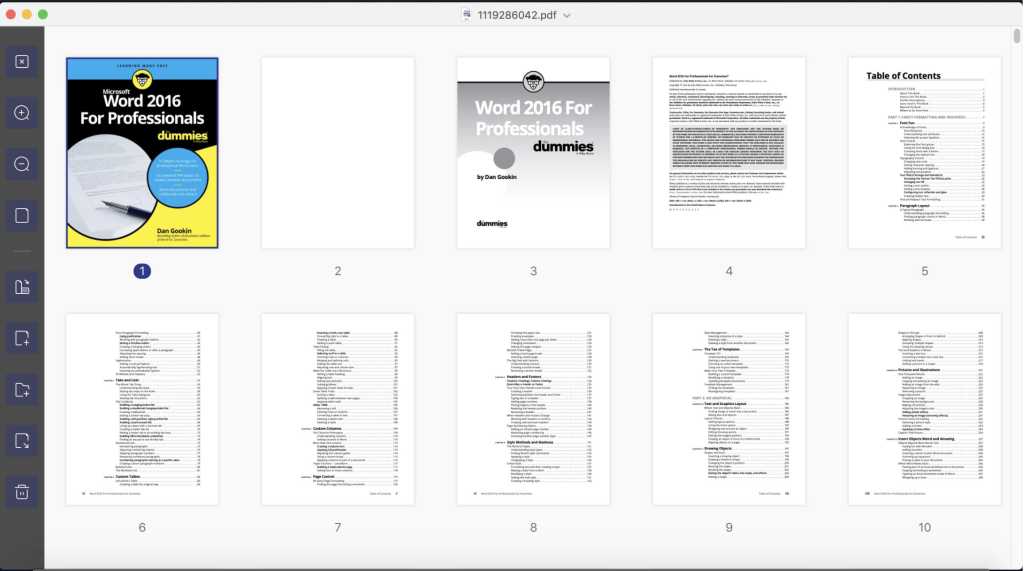
PDF Reader Pro for Mac Download 4.0.1
02 years

Name : PDF Reader Pro
Size : 153 MB
PDF Reader Pro for Mac free Download
PDF Reader Pro is a comprehensive PDF management tool designed to meet all your document needs. Here’s what you can expect from this powerful software:
Annotation and Editing: Easily annotate and edit your PDF files with features such as highlighting, underlining, strikethrough, and more. You can also add text, images, and shapes to your PDFs.
Form Filling: Fill out PDF forms effortlessly using the form filling feature, making it convenient to complete paperwork digitally.
OCR (Optical Character Recognition): Convert scanned PDFs into searchable and editable text, allowing you to extract and manipulate content from scanned documents.
Conversion: Convert your PDF files to various formats, including Microsoft Word, PowerPoint, Excel, RTF, HTML, Text, Image, CSV, and more. You can also convert other file formats to PDF.
Merge and Split: Merge multiple PDF documents into a single file or split a PDF into several files, providing flexibility in managing your PDFs.
Insert Pages: Insert pages from one PDF into another, allowing you to combine different documents seamlessly.
Presentation Mode: Showcase your PDF documents to others in Presentation Mode, making it ideal for presentations and collaborations.
Security: Protect your PDF files with password encryption and permissions, ensuring that sensitive information remains secure.
Compatibility: PDF Reader Pro is compatible with macOS 10.13 or later, ensuring compatibility with a wide range of Mac systems.
With its robust feature set and intuitive interface, PDF Reader Pro streamlines your PDF management tasks and enhances your productivity. Visit the homepage to learn more: PDF Reader Pro