Jameskarke

Jameskarke

This user hasn't shared any profile information

Home page: http://macmyanmar.com

Posts by Jameskarke

Download Topaz Video AI for Mac 4.0.9

0

Name : Topaz Video AI

Size : 185 MB

Topaz Video AI for Mac free Download

Topaz Video Enhance AI

Topaz Video Enhance AI is a video quality enhancement tool that employs advanced AI algorithms to improve various aspects of videos, including upscaling, denoising, deinterlacing, and restoration. Unlike photo enhancement, video enhancement is more complex due to motion-related issues. This tool addresses problems like flickering, blockiness, and wavy artifacts by analyzing information from multiple frames.

Key Features:

  1. Upscaling:
  • Increase video resolution with details gathered from multiple frames.
  • Convert SD to HD, HD to 4k or 8k while adding crisp and natural video details.
  1. Denoising:
  • Remove noise and grain while recovering real detail in videos.
  • Minimize flickering and temporal artifacts caused by frame-by-frame denoising approaches.
  1. Deinterlacing:
  • Use deep learning to convert interlaced videos to progressive.
  • Preserve image definition and reduce visual artifacts compared to traditional deinterlacing.
  1. Restoration:
  • Naturally restore old videos without adding visual artifacts.
  • Remove compression artifacts from old or degraded sources.
  1. Frame Rate Conversion (Chronos AI Model):
  • Increase video frame rate without artifacts.
  • Generate new frames between existing ones for more natural results.
  1. Convenient Workflow:
  • Easily convert and combine multiple videos from SD to HD, HD to 4k, and more.
  • Includes export presets and batch processing.
  1. Flexible Import/Export:
  • Supports common video file types and image sequences as input.
  • Export directly to mp4, mov, or image sequence.
  1. Batch Processing:
  • Queue up multiple videos for batch processing.
  • Leave Video Enhance AI running overnight for enhanced footage.

Compatibility:

  • macOS 10.12 or later

Homepage:

Topaz Video Enhance AI provides a comprehensive solution for improving video quality with AI-driven enhancements. From upscaling to denoising and frame rate conversion, this tool aims to deliver superior video enhancement results. You can explore more or download the software on the Topaz Video Enhance AI homepage.

Download Bigasoft FLAC Converter Mac 5.7.2.8768

0

Name : Bigasoft FLAC Converter

Size : 49 MB

Bigasoft FLAC Converter for Mac free Download

Bigasoft FLAC Converter for Mac

Bigasoft FLAC Converter for Mac is a specialized and user-friendly FLAC file converter and decoder designed for Mac OS X, including support for macOS Mountain Lion. This software is dedicated to converting FLAC files to various audio formats while maintaining high audio quality.

Key Features:

  1. Audio Format Conversion:
  • Convert FLAC to various audio formats, such as MP3, 16-bit/24-bit WAV, Apple Lossless ALAC, M4A, AIFF, AC3, AU, MP2, OGG, RA, and WMA.
  1. Preserve Audio Quality:
  • Ensure high audio quality during the conversion process, preserving the original sound.
  1. Compatibility:
  • Compatible with Mac OS X 10.9 or later.

Homepage:

Bigasoft FLAC Converter for Mac is designed to make the conversion of FLAC files on Mac straightforward. With support for various audio formats, this tool ensures flexibility while preserving the integrity of the original audio. If you’re looking for a reliable FLAC converter on Mac, you can explore more or download the software on the Bigasoft FLAC Converter homepage.


Download EazyDraw 11.4.1 for Mac

0

Name : EazyDraw

Size : 151 MB

EazyDraw for Mac free Download

EazyDraw 10 – Vector Drawing App for macOS

EazyDraw is a vector drawing application that has been a trailblazing app for the new vector-drawing paradigm on the Mac since the Jaguar era. With a balanced feature set, EazyDraw is suitable for various purposes, including technical drawing, web and app graphic design, print publishing, logos, page layout, and more.

Key Features:

  1. Vector Drawing:
  • EazyDraw provides powerful tools for vector drawing, offering a wide range of features needed for different design projects.
  1. Bitmap and Vector Graphic Formats:
  • Comprehensive support for bitmap and vector graphic formats allows users to work with various types of images seamlessly.
  1. PDF and EPS Editing:
  • Import and ungroup PDF and EPS files for easy editing within EazyDraw.
  1. SVG and DXF Support:
  • Import and export SVG files, and now DXF support is available for exchange scaled CAD drawings.
  1. Color Support:
  • Preview and publish to EPS and TIFF with RGB or CMYK process colors for accurate and vibrant results.
  1. Web Graphics:
  • Publish web graphics effortlessly, making it a versatile tool for different design needs.
  1. App-Development Graphics:
  • Create Mac, iPhone, and iPad app-development graphics and icons with ease.
  1. Compatibility:
  • EazyDraw is compatible with macOS 11.0 or later.

In-App Purchases:

  • Full Version (Included)

Homepage:

EazyDraw is designed to provide a balanced feature set, making it easy enough for everyone while offering the depth required for various design projects. Whether you are involved in technical drawing, graphic design, print publishing, or app development, EazyDraw offers the tools and flexibility needed for your creative journey. To explore more details or download the application, you can visit the EazyDraw homepage.

Download Navicat Data Modeler Ess Mac 3.3.14

0

Name : Navicat Data Modeler Ess

Size : 234.72

Navicat Data Modeler Ess for Mac free Download

Navicat Data Modeler Essentials 3.3.14 for macOS

Navicat Data Modeler Essentials is a powerful and user-friendly database design tool that supports various database systems, including MySQL, MariaDB, Oracle, SQL Server, PostgreSQL, and SQLite. It allows users to create and manipulate data models, making it easier to understand and work with database structures.

Key Features:

  1. Database System Support:
  • Navicat Data Modeler Essentials supports various database systems, including MySQL, MariaDB, Oracle, SQL Server, PostgreSQL, and SQLite.
  1. Data Model Creation:
  • Easily create high-quality data models to understand and manage database structures effectively.
  1. Model Conversion:
  • Convert data models effortlessly for enhanced flexibility.
  1. Notation Support:
  • Use Crow’s Foot, IDEF1x, and UML notations to represent database structures.
  1. Visualization Tools:
  • Add vertices, layers, images, shapes, and notes/labels to enhance the visualization of data models.
  1. Object Alignment:
  • Align and distribute objects for a well-organized data model.
  1. Undo/Redo Functionality:
  • Enjoy unlimited undo and redo options for easy experimentation with data models.
  1. Zoom In/Zoom Out:
  • Zoom in and out to focus on specific details or view the entire data model.
  1. Search Filter:
  • Use the search filter to quickly find specific elements within the data model.
  1. Dark Mode:
    • Switch to Dark Mode for a comfortable and visually pleasing interface.

System Requirements:

  • macOS: 10.14 or later

Homepage:

Navicat Data Modeler Essentials is designed to streamline the process of creating and managing data models for various database systems. To explore more details or download the application, you can visit the Navicat Data Modeler Essentials homepage.


Download Navicat Charts Viewer for Mac 1.2.14

0

Name : Navicat Charts Viewer

Size : 345 MB

Navicat Charts Viewer for Mac free Download

Navicat Charts Viewer 1.2.14 for macOS

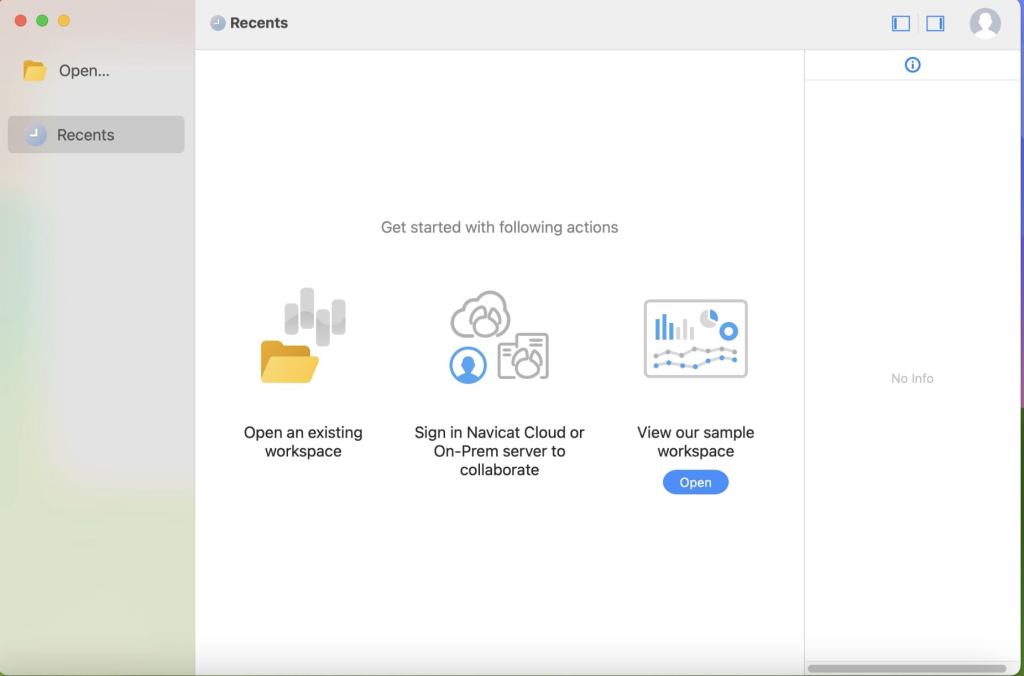
Navicat Charts Viewer is a user-friendly tool designed for viewing Charts workspace files. With a friendly Graphical User Interface (GUI), the viewer allows you to navigate workspaces created with Navicat’s Charts feature or Navicat Charts Creator. You can access local workspace files or those stored in Navicat Cloud or Navicat On-Prem Server.

Key Features:

  1. Viewing Workspaces:
  • Easily view Charts workspace files created with Navicat’s Charts feature or Navicat Charts Creator.
  1. Compatibility:
  • Access local workspace files or those stored in Navicat Cloud or Navicat On-Prem Server.
  1. Collaboration:
  • Share workspace files with users who have Navicat Charts Viewer installed, even if they don’t have Navicat or Navicat Charts Creator.
  1. Export Dashboards:
  • Export dashboards to PDF files and other image file formats.
  1. Print and Export:
  • Print and export dashboards for enhanced flexibility and sharing.
  1. Search Filter:
  • Utilize the search filter for efficient navigation and finding specific items.
  1. Dark Theme:
  • Enjoy the dark theme for a visually comfortable viewing experience.

System Requirements:

  • macOS: 10.14 or later

Homepage:

Navicat Charts Viewer provides a convenient solution for users who want to view Charts workspace files without requiring Navicat or Navicat Charts Creator on their computers. To explore more details or download the application, you can visit the Navicat Charts Viewer homepage.

Download Navicat Charts Creator for Mac 1.2.14

0

Name : Navicat Charts Creator

Size : 253.08 MB

NaviCat Charts Creator for Mac free Download

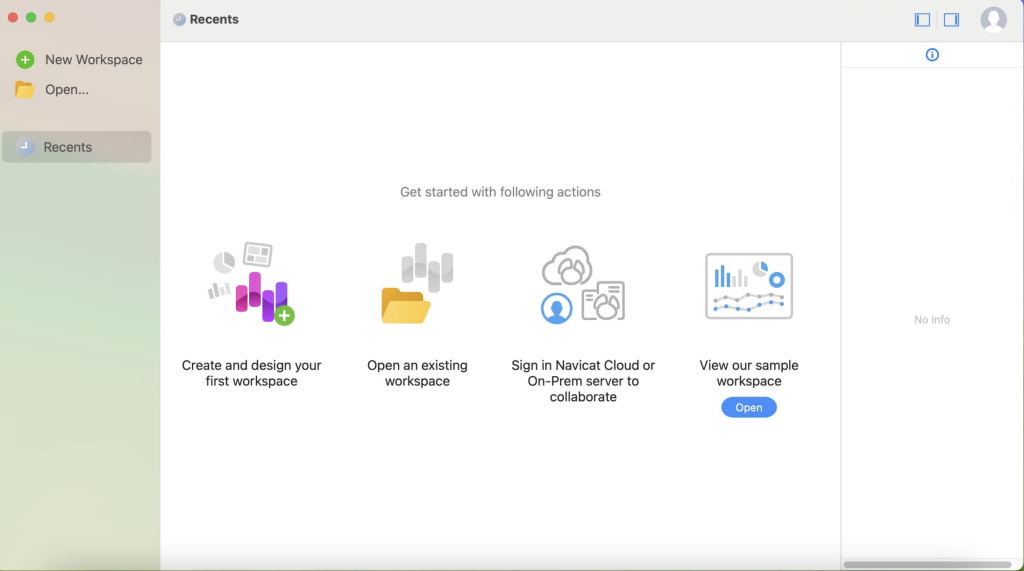
Navicat Charts Creator is a tool designed to transform your data into visualizations, allowing you to identify trends, patterns, and outliers effectively. By simplifying data analysis, you can gain valuable insights to support your business decisions and strategies. In addition to creating charts, Navicat Charts Creator offers features like Group Chart, Control Chart, and a thumbnail preview of each dashboard.

Key Features:

  1. Data Visualization:
  • Transform your data into effective visualizations for better analysis.
  1. Group Chart:
  • Utilize the Group Chart feature to organize and present data more effectively.
  1. Control Chart:
  • Access the Control Chart feature for enhanced data control and analysis.
  1. Thumbnail Preview:
  • View thumbnail previews of each dashboard for quick reference and navigation.

System Requirements:

  • macOS: 10.14 or later

Homepage:

For users looking to simplify data analysis and create visual representations of their data, Navicat Charts Creator provides a user-friendly solution. To explore more details or download the application, you can visit the Navicat Charts Creator homepage.

Download iFastZip – RAR Unarchiver for Mac 9.0

0

Name : iFastZip – RAR Unarchiver

Size : 12 MB

Download iFastZip – RAR Unarchiver for Mac free

Archive Extractor is a versatile application that allows you to extract files from a wide range of archive formats, including RAR, ZIP, 7Z, TAR, GZIP, GZ, BZIP2, LZIP, ACE, ISO, PAX, PKG, APK, JAR, XZ, LZMA, BZ, LZH, CAB, CPIO, SWF, and more (over 50 formats). Additionally, it enables you to generate password-protected 7Z and ZIP archives and extract images from PDF files.

Key Features:

  1. Archive Extraction:
  • Extract files from a variety of archive formats, supporting over 50 different formats.
  1. Password-Protected Archives:
  • Generate password-protected 7Z and ZIP archives for secure file storage.
  1. PDF Image Extraction:
  • Extract images from PDF files.
  1. Encrypted Archives:
  • Extract encrypted archives, providing flexibility for secure file handling.
  1. Preview Before Extraction:
  • Preview archives before initiating the extraction process.
  1. Double-Click Extraction:
  • Double-click to extract multiple archives simultaneously.
  1. Quick Right-Click Extraction:
  • Right-click to extract files directly, offering a convenient extraction option.
  1. Same-Folder Extraction:
  • Extract files to the same folder as the archive for organized file management.

Compatibility:

  • macOS: 10.13 or later

In-App Purchases:

  • Full Version (included)

Homepage:

Archive Extractor provides a user-friendly interface for handling various archive formats, making it a useful tool for managing compressed files on your macOS system. For more details or to download the application, you can visit the Archive Extractor on the App Store.

Download CopyQueue for Mac 3.1

0

Name : CopyQueue

Size : 6 MB

Download CopyQueue for Mac free

CopyQueue is a file transfer management tool that provides enhanced control over your file transfers, whether you’re copying to and from USB drives, network shares, downloading from the internet, or uploading to FTP sites. It’s particularly beneficial for handling large files and slow connections, ensuring more efficient and reliable transfers. Here are some key features:

Key Features:

  1. Fast and Efficient Transfers:
  • Copy multiple files faster and more efficiently than the native OS X transfer.
  1. Pause and Resume:
  • Pause and resume file transfers, even after restarting or reconnecting to the network. Resume transfers weeks or months later.
  1. Transfer Prioritization:
  • Decide which files are transferred first, and automatically sort them by size or time remaining.
  1. Retry and Resume:
  • Retry and resume transfers that fail if the network is disconnected.
  1. Verification:
  • Optionally verify that every byte is copied correctly, especially useful for unreliable connections.
  1. Bandwidth Control:
  • Control how much network bandwidth is used to prevent blocking other network users or exceeding quotas.
  1. Scheduled Transfers:
  • Schedule large transfers for off-peak periods, such as overnight.

System Requirements:

  • macOS: 11.0 or later

Homepage:

For users dealing with large files and looking for more control and reliability in their file transfers, CopyQueue provides valuable features such as pause/resume, prioritization, retry/resume, and bandwidth control. For more details or to download the application, you can visit the official homepage: CopyQueue.

Download Imagenomic Professional Plugin Suite For Adobe Photoshop

0

Name : Imagenomic Professional Plugin Suite For Adobe Photoshop

Size : 68 MB

Imagenomic Professional Plugin Suite For Adobe Photoshop 2022

Imagenomic Plugins Suite for macOS

The Imagenomic Plugins Suite combines three powerful plugins—Portraiture, Noiseware, and Realgrain—to enhance your creative workflow and optimize your photos. Here’s a brief overview of each plugin:

1. Portraiture:

  • Functionality: Automatic skin smoothing, healing, and enhancing effect plugin.
  • Description: Portraiture is designed for skin retouching, providing automatic skin smoothing and enhancement effects.

2. Noiseware:

  • Functionality: Noise removal plugin and standalone application for photo noise reduction.
  • Description: Noiseware is an award-winning plugin that effectively reduces or eliminates noise from digital photos, delivering high-quality results.

3. Realgrain:

  • Functionality: Inimitable toning, film, and grain effects plugin.
  • Description: Realgrain offers a range of toning, film, and grain effects to add unique and authentic touches to your photos.

Compatibility:

  • Host: Adobe Photoshop 2022-2024
  • macOS: 13.0 or later

Homepage:

For detailed information about each plugin and to explore the capabilities of the Imagenomic Plugins Suite, you can visit the official website: Imagenomic. This suite is designed to enhance and optimize various aspects of your photos within the Adobe Photoshop environment.

Download Imagenomic Noiseware for PS 6.0.3 Build 6034 Mac Free

0

Name : Imagenomic Noiseware for PS 6.0.3 Build

Size : 5 MB

Imagenomic Noiseware for Photoshop Mac

Imagenomic Noiseware 2022-2024 for macOS

Imagenomic Noiseware is an award-winning noise suppression software tool specifically designed to decrease or eliminate noise from digital photos or scanned images. It seamlessly integrates with Adobe Photoshop (host version 2022-2024) to provide powerful noise reduction capabilities. Here are some key details about Noiseware:

Key Features:

  1. Noise Suppression:
  • Effectively reduces or eliminates noise from digital photos or scanned images.
  1. Adobe Photoshop Integration:
  • Seamlessly integrates with Adobe Photoshop versions 2022-2024.

System Requirements:

  • macOS 13.0 or later

Homepage:

Please note that specific details about the features and capabilities of Noiseware may be available on the official website of Imagenomic. For users interested in noise reduction for their digital images within Adobe Photoshop, Noiseware is designed to provide a powerful solution.

Jameskarke's RSS Feed
Go to Top