Free Macsoftware One click Download

Posts by Jameskarke
Download Tipard DVD Cloner for Mac 6.2.50
02 years
by Jameskarke
in Application

Name : Tipard DVD Cloner
Size : 25 MB
Download Tipard DVD Cloner for Mac free
Tipard DVD Cloner Overview:
Tipard DVD Cloner for Mac is a high-speed and user-friendly DVD copy software designed specifically for macOS. With its capabilities to copy, clone, and compress DVDs, users can easily create backups or duplicates of their DVD discs with minimal effort.
Key Features:
- DVD Copying:
- Supports copying DVD content between DVD discs, folders, and ISO files.
- Offers a quick and straightforward process to duplicate DVDs on Mac.
- Quality Preservation:
- Preserves the original quality while copying DVD-9 to DVD-9 or DVD-5 to DVD-5.
- Ensures zero quality loss during the copying process.
- Compression Function:
- Allows compression of DVD-9 to DVD-5 while maintaining high-quality output.
- Provides flexibility in managing disc space and storage.
- Copy Modes:
- Three copy modes are available: Full Copy, Main Movie, and Customized.
- Offers customization options based on user preferences for different copying needs.
What’s New:
- Version 6.2.50: Release notes were unavailable at the time of this update.
System Requirements:
- macOS 10.10 or later
Homepage: Tipard DVD Cloner

Download Apeaksoft Video Editor for Mac 1.0.52
02 years
by Jameskarke
in Application

Name: Apeaksoft Video Editor
Size : 49 MB
Download Apeaksoft Video Editor for Mac free 1.0.52
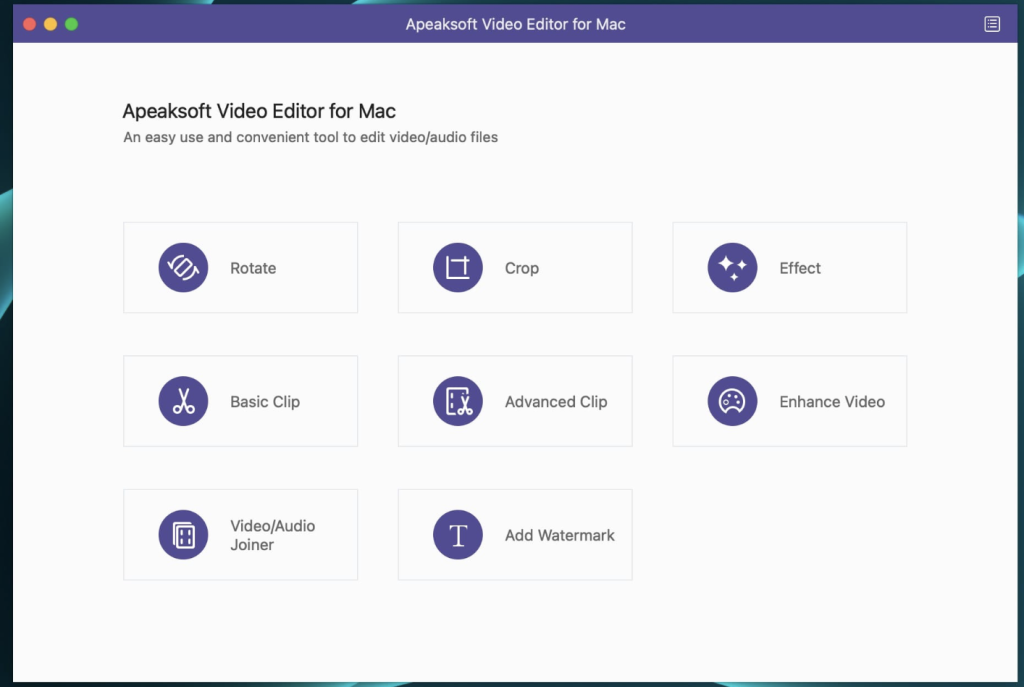
Apeaksoft Video Editor is an all-in-one video editing software designed to provide comprehensive editing capabilities for both video and audio files. With support for various formats, it enables users to edit, enhance, and convert multimedia content with ease.
Key Features:
- File Format Support:
- Edits files in formats such as MP4, MOV, FLV, AVI, MTS, M2TS, MP3, AAC, WAV, and more.
- Supports a diverse range of video and audio formats for flexible editing.
- Video Editing:
- Provides essential video editing features like clip, crop, rotate, watermark, and more.
- Enables users to make advanced edits to enhance the overall video effect.
- Audio Editing:
- Allows editing audio files along with video editing for a synchronized multimedia experience.
- Supports audio formats such as MP3, AAC, WAV, and more.
- Video Enhancement:
- Enhances video effects to improve the overall visual experience.
- Offers features to adjust brightness, contrast, saturation, and more.
- Conversion Functionality:
- Acts as a video converter to convert edited video and audio files.
- Provides flexibility in handling multimedia content by supporting conversion between different formats.
System Requirements:
- macOS 10.10 or later
What’s New:
- Version 1.0.36: Release notes were unavailable at the time of this update.
Homepage: Apeaksoft Video Editor
Download Apeaksoft Blu-ray Player 1.1.80
02 years
by Jameskarke
in Application

Name : Apeaksoft Blu-ray Player
Size : 43 MB
Download Apeaksoft Blu-ray Player for Mac free 1.1.80
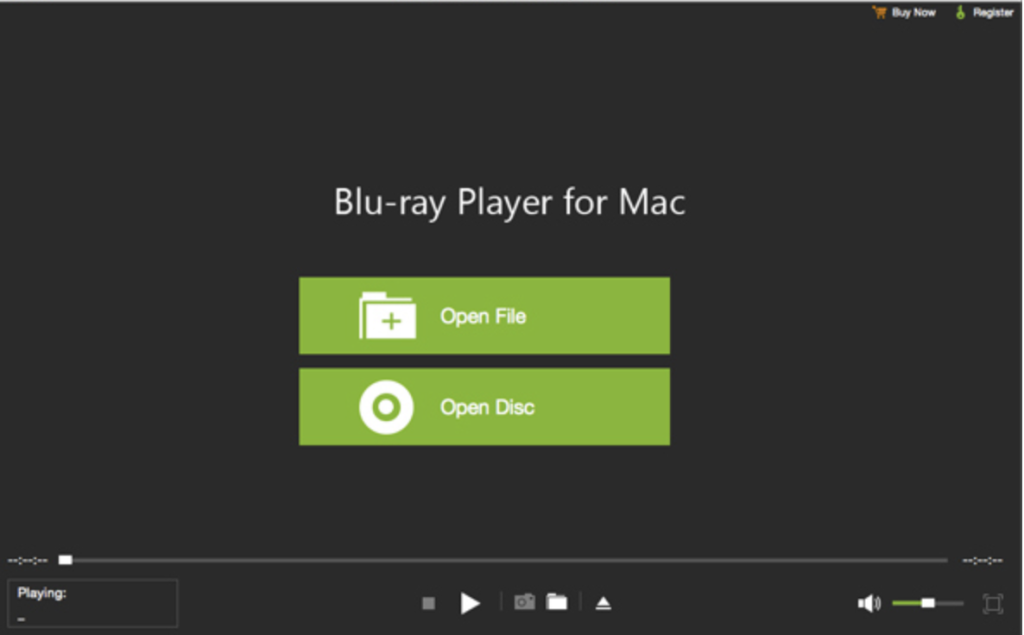
Apeaksoft Blu-ray Player is a versatile media player designed to provide a high-quality visual experience for Blu-ray, DVD, and various video formats. With its capabilities to play Blu-ray discs, folders, ISO files, DVDs, and a wide range of video files, it serves as an all-in-one multimedia player.
Key Features:
- Blu-ray Playback:
- Supports playback of Blu-ray discs, folders, and ISO files.
- Delivers a full HD 1080p Blu-ray disc playback experience.
- Ensures vivid visual effects and crystal-clear details for Blu-ray movies.
- DVD Playback:
- Capable of playing DVD discs, folders, and ISO files.
- Provides high image and sound quality for DVDs.
- Allows customization of audio track, video track, subtitle track, and more for an enhanced DVD playback experience.
- Video Playback:
- Plays 4K UHD, 1080p/720p HD, and SD videos in various formats.
- Supports common video formats such as MP4, MOV, AVI, MKV, and more.
- Offers settings for audio track, video track, subtitle track, and other preferences.
- Format Support:
- Compatible with a wide range of video formats, including MP4, H.264/MP4 AVC, H.265/HEVC, MPG, M4V, TS, MTS, M2TS, MXF, RM, RMVB, WMV, ASF, MKV, AVI, 3GP, F4V, FLV, VOB, and more.
- Allows playback of 4K videos in MP4, H.264/MPEG-4 AVC, H.265/HEVC, TS, MKV, AVI, MOV, FLV, WebM formats.
System Requirements:
- macOS 10.0 or later
Homepage: Apeaksoft Blu-ray Player
Download Final Cut Pro 10.7.1Download
02 years

Name : Final Cut Pro
Size : 4.71 GB
Download Final Cut Pro for Mac free
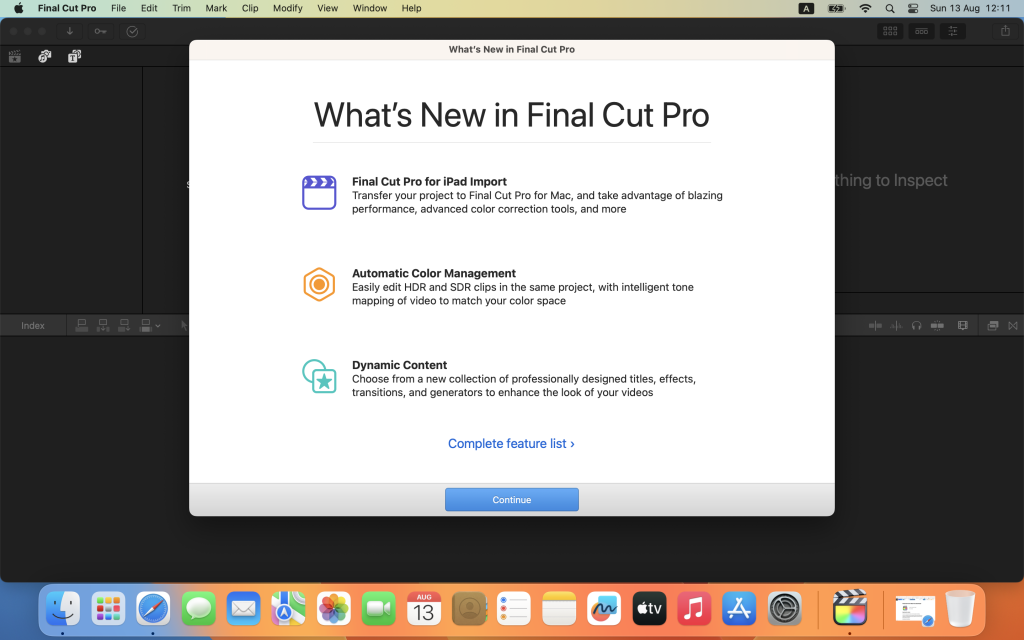
Final Cut Pro is a professional-grade video editing software designed for macOS. It seamlessly combines advanced video editing features with powerful media organization and high-performance capabilities. The application caters to the needs of video creators, allowing them to edit and produce content with efficiency and creativity.
Key Features:
- Revolutionary Video Editing:
- Magnetic Timeline utilizes advanced metadata and Clip Connections for faster and easier editing.
- Enhanced Timeline Index enables dragging and dropping audio roles to rearrange the timeline layout.
- Object Tracker facilitates automatic matching of titles and effects to the movement of faces or objects.
- Supports changing focus points or depth effects for video shot in Cinematic mode on iPhone (requires macOS Monterey or later).
- Multicamera editing with automatic syncing and support for up to 64 camera angles.
- Smart Conform for automatic transformation of projects for square or vertical delivery.
- Powerful Media Organization:
- Efficient media management and collaboration within libraries.
- Creation of proxy copies of media for portability and performance.
- Application of custom keywords or favorites on-the-fly for clip range selection.
- Smart Collections for dynamic organization of content.
- Detection of duplicate media in the timeline using highlighted clip ranges or the Timeline Index.
- Incredible Performance:
- Optimized performance for Mac computers with Apple silicon.
- Speed and efficiency improvements on systems with Apple M2 Pro, M2 Max, and M1 Ultra chips.
- Broad format support, including ProRes, RED, XAVC, AVCHD, Avid DNxHR, Avid DNxHD, H.264, HEVC, and more.
- Compelling, Customizable Effects:
- Beautifully animated and easily customizable 2D and 3D titles.
- Intuitive controls for changing the look of titles, transitions, and effects.
- Access to third-party FxPlug plug-ins with custom interfaces.
- Integrated Audio Editing:
- Role assignment during import for efficient tracking and organization.
- Expansion and editing of multichannel audio files directly in the timeline.
- Application of Logic-based effects and reduction of background noise.
- Syncing video with separate audio in a single step with instant audio waveform matching.
- Intuitive Color Grading:
- Import, edit, and deliver video in standard color spaces or Rec. 2020 and HLG color spaces.
- Powerful color wheels and curves for precise adjustments with keying and masks.
- Accurate viewing of HDR on the MacBook Pro and Pro Display XDR.
- One-Step, Optimized Output:
- Fast export for playback on Apple devices and upload to platforms like Vimeo and YouTube.
- Export of audio stems and multiple versions of finished videos using roles metadata.
- Import and export XML for third-party workflows like color grading and sound mixing.
System Requirements:
- macOS 12.6 or later.
- 4GB of RAM (8GB recommended for 4K editing, 3D titles, and 360° video editing).
- Metal-capable graphics card, 1GB of VRAM recommended for 4K editing, 3D titles, and 360° video editing.
- 5.5GB of available disk space.
What’s New in Version 10.7.1:
- Stability improvements on Intel-based Mac models when using Color Wheels or Color Curves on H.264 video clips.
- Fix for an issue with some default keyboard shortcuts working incorrectly on non-English keyboards.
Language: English, Chinese, French, German, Japanese, Spanish
Compatibility: macOS 13.5 or later
Homepage: Final Cut Pro on the App Store
Download Apeaksoft Data Recovery for Mac 1.6.6
02 years

Name : Apeaksoft Data Recovery
Size : 26 MB
Apeaksoft Data Recovery for Mac free Download
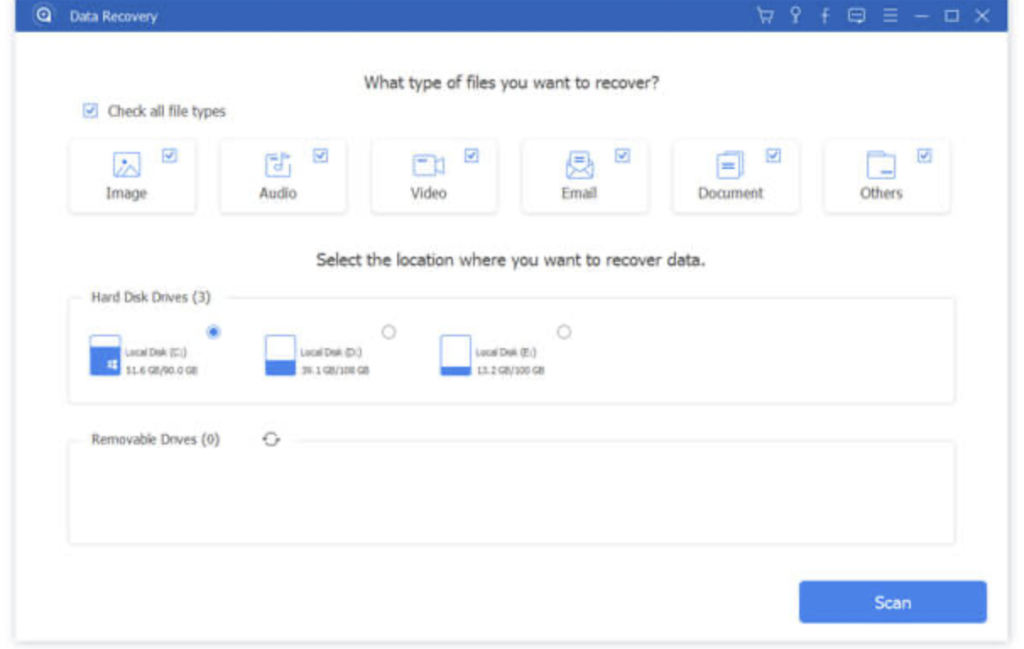
Apeaksoft Data Recovery is a robust solution designed to address various data loss scenarios, providing professional tools to recover lost files due to accidental deletion, hard drive formatting, system crashes, and more. This software is tailored to handle data recovery on Mac systems, offering a comprehensive set of features to retrieve diverse file types from different storage devices.
Key Features:
- Versatile Data Recovery:
- Recovers all types of data, including pictures, songs, videos, documents (Word, Excel, PowerPoint, PDF, TXT, RTF), emails, and more.
- Efficient Recovery Process:
- Offers faster speed for scanning and recovering deleted files compared to other data recovery tools.
- Privacy Protection:
- Ensures privacy safety by not storing any recovered data during the restoration process.
- Guarantees 100% privacy for users during data recovery operations.
- Direct Recovery:
- Allows users to directly recover scanned data while the scanning process is ongoing.
- Diverse Data Sources:
- Supports recovery from various sources, including Mac, recycle bin, hard drives, flash drives, memory cards, etc.
System Requirements:
- macOS 10.10 or later.
Homepage: Apeaksoft Data Recovery
Download OCRKit Enterprise for Mac 23.12.1
02 years

Name : OCRKit Enterprise
Size : 18 MB
OCRKit for Mac free Download
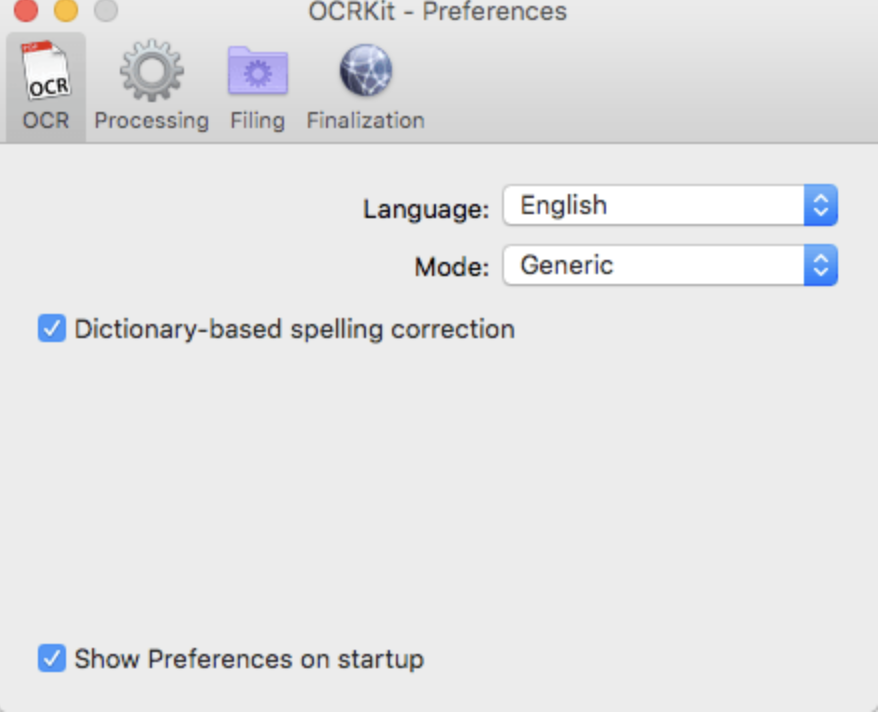
OCRKit is a streamlined Mac application featuring advanced Optical Character Recognition (OCR) technology. The tool is designed to convert scanned or printed documents into searchable and editable text, making it particularly useful for PDF documents received via email or created by Desktop Publishing (DTP) applications. OCRKit enhances efficiency by eliminating the need for manual retyping, allowing users to extract information from documents quickly and accurately.
Key Features:
- OCR Engine:
- High text recognition accuracy.
- Instant content search ability.
- PDF compression for optimized file sizes.
- High-speed conversion for efficiency.
- Stability and performance in OCR processing.
- Supported Languages:
- The OCR engine recognizes a variety of languages, including but not limited to Bulgarian, Croatian, Czech, Danish, Dutch, English, French, German, Italian, Spanish, Russian, Turkish, and more.
- Automatic Rotation:
- Automatically determines the orientation of each scanned sheet, avoiding the need for manual pre-sorting.
- Paperless Office:
- Facilitates a transition to a paperless office by adding text recognition and compression to scans, contracts, invoices, and receipts in the archive.
- Multi-Page Documents:
- No limits on the number of pages in PDF or TIFF documents.
- No restrictions on the number of pages processed per day.
- Searchable Text:
- Professional text recognition enables searchable, editable, and translatable text conversion.
- Drag and Drop:
- Simple drag-and-drop functionality for ease of use.
- Open documents with OCRKit application for quick processing.
- AppleScript Support:
- Includes AppleScript support for programmed batch conversion and automation.
- Supported File Formats:
- Import Formats: PDF, TIFF, JPEG, JPEG2000, PNG, PNM, BMP, PCX, GIF, OpenEXR.
- Export Formats: PDF (Portable Document Format), HTML (HyperText Markup Language), RTF (Rich Text Format), TXT (UTF-8 encoded plain text).
Additional Features (OCRKit Pro):
- Automatic Language Detection:
- Automatically detects the language on each page, allowing seamless language switching.
- Imprinter:
- Imprints text onto the page’s image, such as scanned date or watermarks.
- Higher Multi-Threading Performance:
- Optimizes multi-core performance for enhanced processing speed.
System Requirements:
- OS X 10.9 or later.
- Intel Core processor.
Homepage: OCRKit
Download OCRKit Pro for Mac 23.12.1
02 years
by Jameskarke
in Application
Name : OCRKit Pro
Size : 18 MB
OCRKit Pro for Mac Free Download
OCRKit is a Mac application equipped with advanced Optical Character Recognition (OCR) technology, designed to convert scanned or printed documents into searchable and editable text. The tool is particularly useful for extracting information from scanned documents, making it beneficial for home users, corporate users, translators, and educational institutions. OCRKit streamlines the OCR process, saving time and effort by eliminating manual retyping.
Key Features:
- Fast and Accurate OCR:
- OCRKit is optimized for speed and accuracy, ensuring efficient and precise text recognition.
- Searchable and Editable Text:
- Convert scanned or printed documents into searchable and editable text, allowing users to easily extract information.
- Document Content Retention:
- OCRKit maintains the integrity of the document’s content during the OCR process, preserving its original structure.
- Spotlight Integration:
- Instantly search and access the content of processed documents using Spotlight.
- Highly Compressed PDF:
- Create highly compressed PDF files without compromising text recognition accuracy.
- Automatic Rotation and De-Skew:
- OCRKit automatically handles document rotation and de-skewing to improve accuracy.
- Color Detection:
- Detect and process documents with color information effectively.
- Multi-Page Processing:
- Process multi-page documents without limitations on the number of pages.
- User-Friendly Interface:
- The tool features a user-friendly interface with drag-and-drop functionality for convenience.
- File Format Support:
- Import file formats include PDF, TIFF, JPEG, JPEG2000, PNG, PNM, BMP, PCX, GIF, and OpenEXR.
- Save OCR results in PDF (Portable Document Format), HTML (HyperText Markup Language), RTF (Rich Text Format), and TXT (UTF-8 encoded plain text).
- Recognition Languages:
- OCRKit supports a variety of recognition languages, including but not limited to English, French, German, Spanish, Italian, Russian, and more.
- AppleScript Support:
- Automate OCR tasks and integrate OCRKit into your workflow using AppleScript.
System Requirements:
- OS X 10.9 or later.
Homepage: OCRKit
Download Recompress for Mac 23.12.1
02 years
by Jameskarke
in Application

Name :Recompress
Size : 5 MB
Download Recompress for Mac free v- 23.12.1
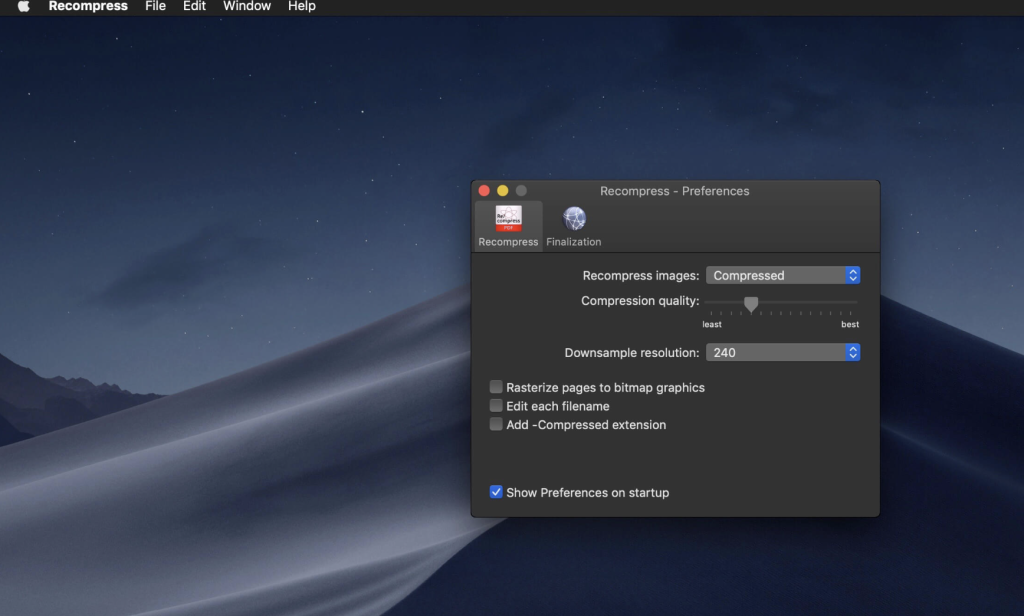
re/compress is a powerful PDF recompression utility designed to decrease the size of existing PDF files, making them more suitable for archiving or sharing on the web or via email. The tool analyzes PDF files and identifies objects that can be further compressed to reduce storage space. re/compress also performs various analyses and recovery steps to address common issues, errors, or corrupted files, improving compatibility for applications with strict requirements lacking error-recovery measures.
Key Features:
- PDF Recompression:
- Decrease the size of existing PDF files for archiving or sharing purposes.
- Analyze PDF files to identify objects that can be compressed to save storage space.
- Error Recovery:
- Perform various analysis and recovery steps to address common types of issues, errors, or corrupted PDF files.
- Improved Compatibility:
- Save corrected files with re/compress to enhance compatibility with more strict applications lacking error-recovery measures.
- Enhancements and Updates:
- Version 23.12.1 includes various enhancements and updates.
- Release notes were unavailable at the time of this update.
System Requirements:
- macOS 10.9 or later.
- 64-bit processor.
Homepage: re/compress
Download Adobe Photoshop 2024 for Mac v25.3.1
02 years

Name : Adobe Photoshop 2024
Size : 6.2 GB
Download Adobe Photoshop 2024 for Mac v25.3.1
Adobe Photoshop is a recognized classic of photo-enhancing software, ushers in a new era of creativity and productivity with the full power of generative AI. From photo editing and compositing to digital painting, animation, and graphic design, Photoshop offers a comprehensive set of tools to bring your creative ideas to life. The latest release includes features powered by artificial intelligence for fast editing, making it easier than ever to create incredible images, photos, composites, 3D artwork, paintings, and graphics on any device.
Key Features:
- Intuitive and Clean User Interface:
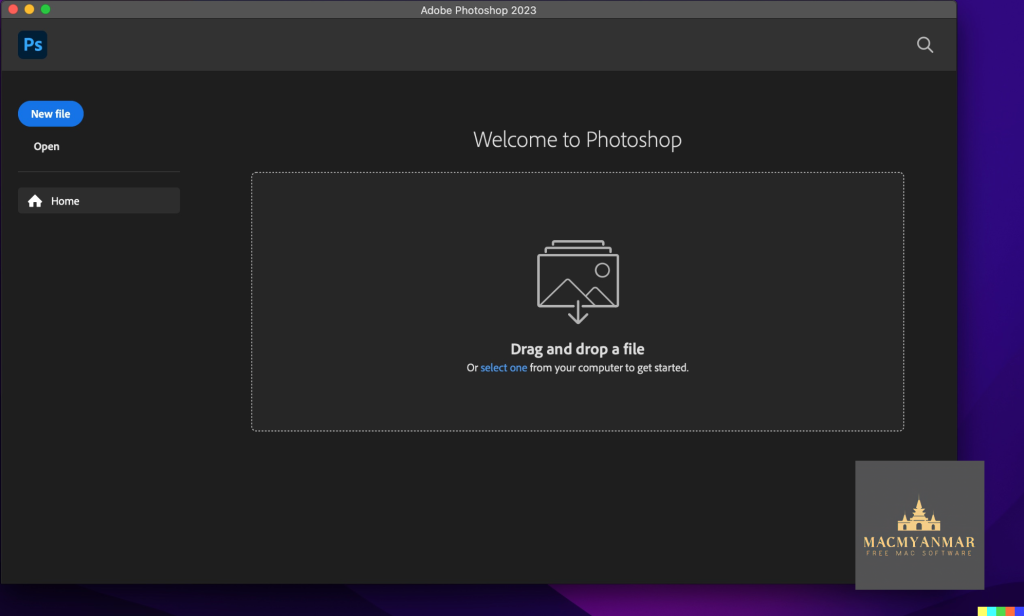
- A user-friendly interface with improved usability for an enjoyable editing experience.
- Quick access to recent files, cloud, and desktop pictures, allowing you to pick up where you left off or start a new project.
- Content-Aware Fill Workspace:
- The new Content-Aware Fill workspace facilitates the removal of objects or distracting elements from images with greater control.
- Interactive editing experience, providing control over which parts of the picture to use for replacing undesired areas.
- Convenient Tools:
- Introduction of the Frame Tool for simpler masking, allowing placement of shapes and text into placeholder frames filled with pictures.
- New default feature of multiple undo for easy review of project changes.
- Auto-commit feature ensures automatic saving of project changes.
- Latest Version Enhancements:
- Version 2024 v25.3.1 includes various enhancements and improvements.
- Release notes were unavailable at the time of this update.
System Requirements:
- macOS v10.15 or later.
- Intel or Apple silicon processor.
Language:
- Multilingual.
Homepage: Adobe Photoshop
Download Disk Drill Enterprise for Mac 5.4.1424
02 years

Name : Disk Drill Enterprise
Size : 53 MB
Download Disk Drill Enterprise for Mac free 5.4.1424
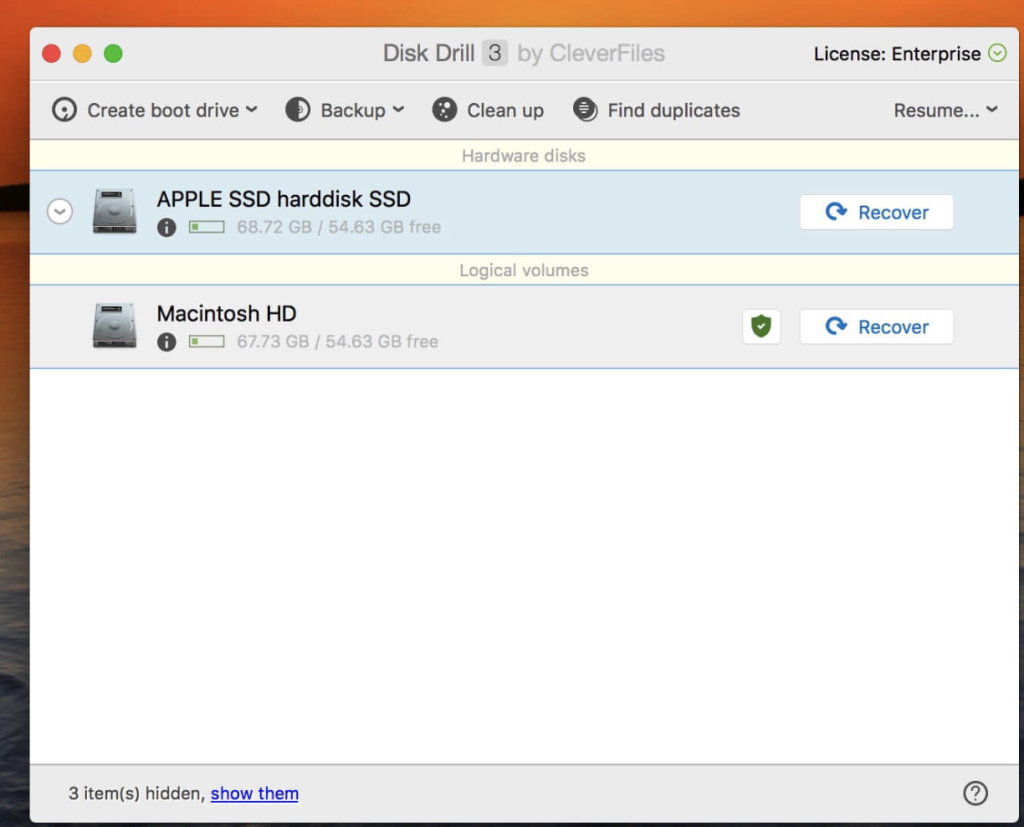
Disk Drill is a robust data recovery software designed natively for Mac OS. It provides tools for protecting files from accidental deletion with features like Recovery Vault and enables the recovery of lost data from various storage devices, file types, and file systems. Key features and improvements in Disk Drill 4 include:
- Enhanced Interface:
- Improved accessibility to features.
- Faster and more informative scans.
- Simplified and powerful management of found items.
- Embedded preview for an enhanced user experience.
- Increased File Recovery:
- Updated FAT32, NTFS, HFS+, and APFS recovery algorithms.
- Improved scanning efficiency, resulting in up to a 200% boost in recovery efficiency and quality.
- Data Shredder:
- Securely delete files and folders beyond any future recovery with the new Data Shredder module.
- Time Machine Recovery:
- Analyze Time Machine backups and extract needed data without restoring or rolling back historic snapshots.
- macOS 11 Big Sur Compatibility:
- Optimized for macOS 11 Big Sur in terms of features, internal technologies, speed, and more.
- Dark Mode support.
- iOS 14 Compatibility:
- Disk Drill’s iOS recovery highlighted as a separate recovery mode.
- Support for Apple’s iOS 14.
- New Disk Image Formats:
- Added support for DSK, BIN, DAT, RAW, and DD formats for scanning unsupported disk images.
- Additional Free Tools:
- Added Data Shredder and Free Disk Space Erasure as separate free extras.
- Clean Up mode can now map specific folders in addition to entire drives.
System Requirements:
- macOS 10.15 or later.
Homepage: Disk Drill