Jameskarke

Jameskarke

This user hasn't shared any profile information

Home page: http://macmyanmar.com

Posts by Jameskarke

Pixea Plus for Mac Download 5.3

0

Name : Pixea Plus

Size : 140 MB

Pixea Plus for Mac free Download

Pixea is a sleek and modern image viewer designed for macOS. With its minimalist user interface, Pixea offers a seamless viewing experience for a wide range of image formats and provides basic image processing features.

Key Features

  • Wide Format Support: View images in various formats including JPEG, HEIC, PSD, RAW, WEBP, PNG, GIF, TIFF, BMP, and more.
  • Basic Image Processing: Easily flip and rotate images.
  • Advanced Information Display: View color histograms and EXIF data for detailed image information.
  • Convenient Navigation: Use keyboard shortcuts and trackpad gestures for smooth navigation.
  • Archive Support: View images directly from ZIP archives without needing to extract them.

Supported Formats

  • Image Formats: JPEG, HEIC, GIF, PNG, TIFF, Photoshop (PSD), BMP, Fax images, macOS and Windows icons, Radiance images, Google’s WebP.
  • RAW Formats: Leica DNG and RAW, Sony ARW, Olympus ORF, Minolta MRW, Nikon NEF, Fuji RAF, Canon CR2 and CRW, Hasselblad 3FR.
  • Other Formats: Sketch files (preview only), ZIP archives.

Export Formats

  • JPEG, JPEG-2000, PNG, TIFF, BMP.

System Requirements

  • Compatibility: macOS 10.12 or later.

Availability


Pixea is an excellent choice for macOS users seeking a lightweight and efficient image viewer that supports a variety of formats and provides essential image processing tools.

Aiseesoft FoneTrans for Mac 9.2.50

0

Name : Aiseesoft FoneTrans

Size : 79 MB

Aiseesoft FoneTrans for Mac free Download

Aiseesoft Mac iOS Transfer is a comprehensive software solution for transferring and managing contacts, photos, songs, videos, and more between your Mac and iOS devices. It also allows for efficient editing of playlists and podcasts, making the management of your digital life simpler and more effective.

Key Features

  • Data Transfer: Transfer contacts, photos, songs, videos, and other files between your Mac and iOS devices.
  • Playlist Management: Edit and manage your playlists and podcasts with ease.
  • User-Friendly Interface: Intuitive design that simplifies the transfer and management process.
  • Enhanced Control: Provides more control over your iOS device’s data directly from your Mac.

What’s New in Version 9.2.50

  • Release notes were unavailable when this listing was updated.

System Requirements

  • Compatibility: macOS 10.12 or later.

Availability


Aiseesoft Mac iOS Transfer offers a robust solution for managing and transferring data between your Mac and iOS devices, enhancing your ability to control and organize your digital content effectively.

SponsorBlock for YouTube for Mac 5.7.0

0
SponsorBlock for YouTube

Name : SponsorBlock for YouTube

Size : 5 MB

SponsorBlock for YouTube for Mac free Download

SponsorBlock: Skip Annoying Segments in YouTube Videos

SponsorBlock is a crowdsourced browser extension designed to improve your YouTube viewing experience by automatically skipping over sponsors, intros, outros, subscription reminders, and other annoying parts of YouTube videos. This extension relies on user submissions to identify these segments, and once one person submits the start and end times of a segment, everyone else using the extension will benefit from skipping over it.

Key Features

  • Crowdsourced Data: Skip segments based on data submitted by other users.
  • Automatic Skipping: Automatically skips sponsors, intros, outros, and other defined segments.
  • Customizable: Choose which types of segments to skip, such as non-music sections of music videos.
  • Community Driven: Contribute to the community by submitting segment data.
  • Improves Viewing Experience: Focus on the content you want to watch without interruptions.

Additional Information

  • Compatibility: Requires macOS 10.14.6 or later.
  • Availability: Download from the Mac App Store.

SponsorBlock enhances your YouTube experience by allowing you to skip unwanted segments, making your viewing more enjoyable and streamlined. This extension leverages community contributions to ensure that annoying parts of videos are skipped automatically, saving you time and improving the overall experience.

MenubarX Pro for Mac free Download 1.7.0 (226.1)

0

Name : MenubarX Pro

Size : 7 MB

MenubarX Pro for Mac free Download

MenubarX is a versatile and powerful menu bar browser designed for Mac power users. This productivity tool allows you to pin any websites to the menu bar, making it possible to access and interact with web applications just like native apps. MenubarX supports various Web, WPA, and PWA websites, offering a seamless and integrated browsing experience.

Key Features

  1. Unlimited Tabs: Manage multiple tabs without any restrictions.
  2. Unlimited Bookmarks: Bookmark your favorite sites for quick access.
  3. Custom Homepage: Set a custom homepage for your browser.
  4. Custom Site Icon: Personalize site icons for better recognition.
  5. Low Memory Usage: Efficiently manages system resources.
  6. Plenty of Web Apps: Access a wide range of web applications.
  7. Pinned Window: Keep important windows always on top.
  8. Detach Window: Detach and move windows as needed.
  9. Devices Simulator: Simulate iPhone, iPad, Android, or Kindle devices.
  10. Switch User-Agent: Change the user-agent to view sites in different modes.
  11. Resize Responsive: Easily resize windows for responsive views.
  12. Auto Refresh: Automatically refresh web pages at set intervals.
  13. Boss Keys: Quickly hide MenubarX with a shortcut.
  14. Dark Mode: Supports dark mode for better visibility in low light.
  15. Shortcuts: Utilize keyboard shortcuts for efficient navigation.
  16. 5 Languages Support: Available in multiple languages.
  17. Download Manager: Manage your downloads efficiently.
  18. Colorful Icon Style: Customize icon styles to your preference.
  19. Web Notifications Push: Receive push notifications from websites.
  20. Quick Search: Quickly search the web from the menu bar.
  21. Native App Mode: Use web apps as if they were native apps.
  22. Background Audio: Continue playing audio in the background.
  23. Local Debugging: Debug local websites directly in MenubarX.
  24. Third-Party Integration: Integrates with other third-party apps.

Additional Information

  • System Integrity Protection (SIP): You need to disable SIP to perform certain actions with MenubarX.
  • Compatibility: Requires macOS 10.14.6 or later.

Homepage

For more information and to download MenubarX, visit the MenubarX Homepage.


MenubarX brings a unique browsing experience to the macOS menu bar, allowing users to interact with web apps efficiently and productively. With its extensive feature set, it caters to the needs of Mac power users who seek to enhance their workflow.

ScreenFocus for Mac Download 1.1.1

0

Name : ScreenFocus

Size : 12 MB

ScreenFocus for Mac free Download

ScreenFocus: Automatic Screen Dimming for macOS

ScreenFocus is a handy utility designed to help you stay focused by automatically dimming your screens. When you move the cursor away from a screen, it dims automatically without the need for any manual intervention. This app is particularly useful for multi-monitor setups, ensuring that your attention is directed to the active screen.

Key Features

  • Automatic Dimming:
  • Screens are dimmed automatically when the cursor moves away.
  • By default, only the side screens are dimmed, but this can be customized.
  • Customizable Settings:
  • Dim Level: Adjust how dark the screen gets when dimmed.
  • Monitors Selection: Choose which monitors should be dimmed.
  • Fade-in Duration: Set the duration for the dimming effect to fade in.
  • Fade-out Duration: Set the duration for the dimming effect to fade out.
  • Dimming Delay: Configure the delay time before the screen starts dimming.

System Requirements

  • Compatibility: Requires macOS 10.12 or later and a 64-bit processor.

Homepage

For more information and to download ScreenFocus, visit the ScreenFocus Homepage.


ScreenFocus offers a simple yet effective way to improve your workflow by reducing distractions from multiple screens. With its customizable settings, you can tailor the dimming experience to best suit your needs.

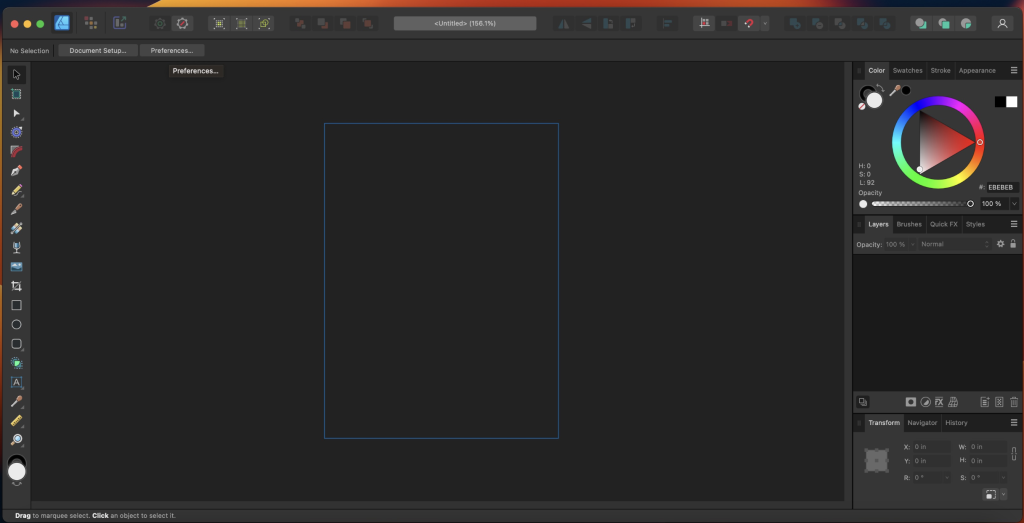
Affinity Designer for Mac 2.5.3

0

Name : Affinity Designer

Size : 767 MB

Affinity Designer for Mac free Download

Affinity Designer: Professional Graphic Design Software for Mac

Affinity Designer is a versatile and powerful graphic design application tailored for Mac users. It offers a comprehensive set of tools and features for creating various graphic materials, including web designs, interface elements, icons, and concept art.

Key Features

  • Customizable Workspace:
  • Work with a docked or floating UI that integrates with macOS features like iCloud, Full Screen, and Spaces.
  • Instant access to a wide range of design tools such as node, pen, crop, pencil, and vector brushes.
  • Advanced Design Tools:
  • Pixel Control: Real-time pixel preview for precise editing, with the ability to edit in pixels when needed.
  • Raster Tools: Includes tools like lasso, pixel and paint brush, eraser, blur, dodge, burn, smudge, selection brush, and sharpen.
  • Stylus Support: Use pressure and velocity-sensitive stylus input for smooth, editable strokes and natural-looking artwork.
  • Non-Destructive Editing:
  • Use pixel brush tools to paint inside vectors without destruction, ideal for adding shadows, textures, and highlights with high precision.
  • Extensive File Format Support:
  • Full support for popular file formats including AI, PSD, PDF, and SVG.
  • Export areas, layers, or objects independently with options for standard or retina versions.
  • Color Space Flexibility:
  • Work in RGB, LAB, CMYK, or Greyscale color spaces to suit your project needs.
  • Customizable Shapes and Geometry Operations:
  • Access a broad collection of shapes with smart-snapping indicators and Boolean geometry operations for precise adjustments.

System Requirements

  • Compatibility: Requires macOS 10.15 or later.

What’s New in Version 2.5.3

  • Updates: Specific release notes were unavailable at the time of the update.

For more information and to download Affinity Designer, visit the Affinity Designer Homepage.


Affinity Designer provides professional-grade graphic design capabilities with a focus on flexibility, precision, and performance, making it a top choice for designers on macOS.

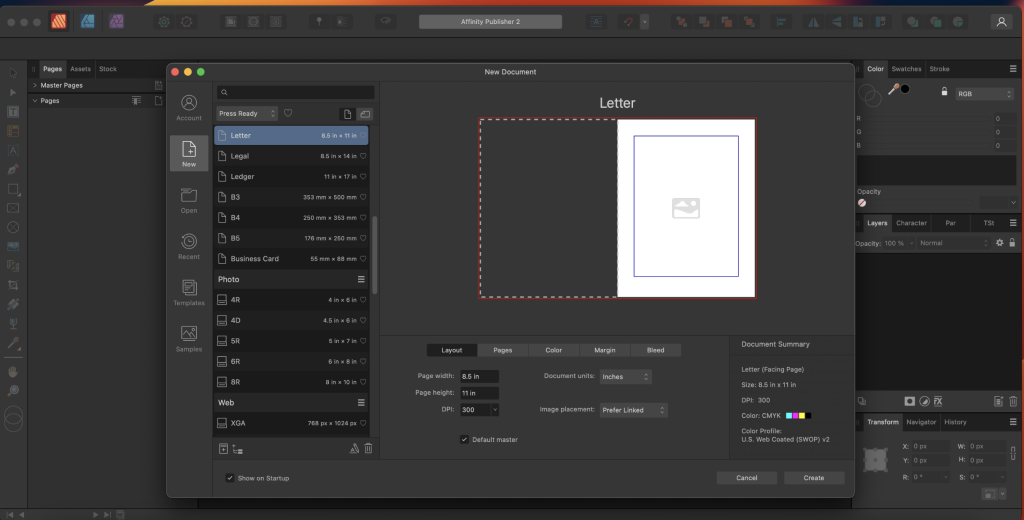
Affinity Publisher for Mac free 2.5.3

0

Name : Affinity Publisher

Size : 766 MB

Affinity Publisher for Mac free Download

Affinity Publisher: Professional Publishing Software for Mac

Affinity Publisher is a powerful and intuitive software designed to create professional publications. Whether you’re working on magazines, books, brochures, posters, reports, or any other type of print or digital publication, Affinity Publisher provides the tools you need to bring your vision to life with precision and creativity.

Key Features

  • Professional Layout Tools:
  • Double Page Spreads: Work seamlessly with double page spreads.
  • Master Pages: Utilize live master pages, including nested master pages, to maintain consistency across your document.
  • Image Frames: Intelligent scaling options for image frames to ensure perfect image placement and sizing.
  • Text Wrapping: Fine control over text wrapping with padding options.
  • Custom Text Frames: Create custom-shaped text frames to fit your design needs.
  • Linked Text Frames: Link multiple text frames together for continuous text flow across pages.
  • Advanced Design Features:
  • Guides and Grids: Use advanced guides, grids, and snapping for precise placement and alignment of elements.
  • Tables: Create and format tables with custom styles.
  • Typography: Advanced typography options to enhance your text, including custom font styles and text effects.
  • Professional Output:
  • Print Ready: Full professional print output capabilities to ensure your designs are ready for publication.

System Requirements

  • Compatibility: Requires macOS 10.15 or later.
  • Language: Multilingual support for various languages.

What’s New in Version 2.5.3

  • Updates: Specific release notes were unavailable at the time of the update.

For more information and to download Affinity Publisher, visit the Affinity Publisher Homepage.


Affinity Publisher empowers designers and publishers with the tools needed to create stunning layouts and professional publications with ease and precision.

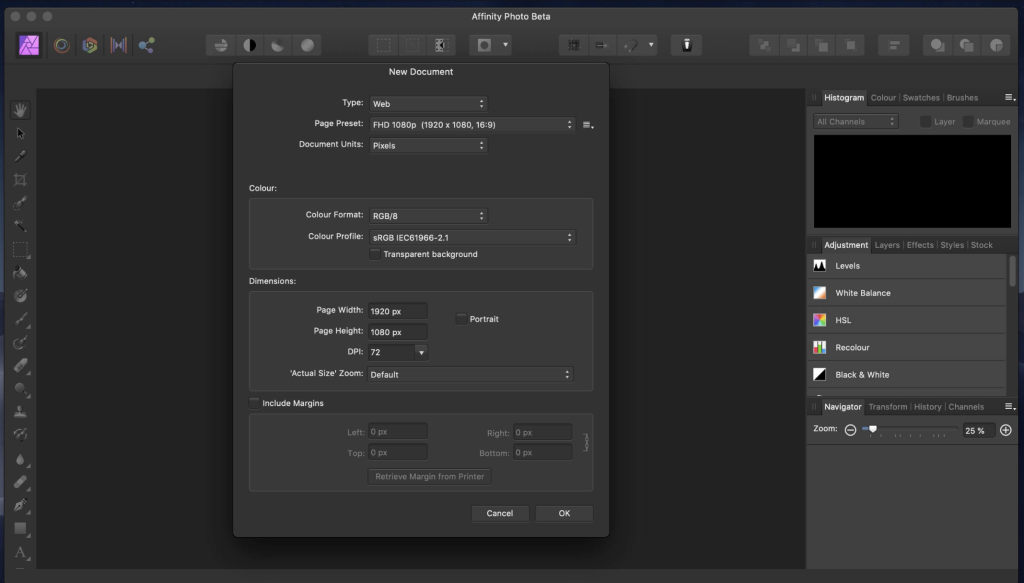
Affinity Photo for Mac free 2.5.3

0

Name : Affinity Photo

Size : 772 MB

Affinity Photo for Mac free Download

Affinity Photo: Professional Photo Editing for Mac

Affinity Photo is a powerful photo editing software designed for professionals. It offers a comprehensive set of tools for enhancing, editing, and retouching images within an intuitive interface, ensuring high performance and a smooth workflow. Here are the key features and details about Affinity Photo:

Key Features

  • Professional Editing Capabilities:
  • Photoshop PSD Support: Open, edit, and save Photoshop® PSD files seamlessly.
  • Color Spaces: Work with RGB, CMYK, Greyscale, and LAB color spaces.
  • CMYK Workflow: Complete end-to-end CMYK workflow with ICC color management.
  • High Bit Depth Editing: Support for full 16-bit and 32-bit per channel editing.
  • Wide Format Support:
  • Image Formats: Compatible with all standard formats including PNG, TIFF, JPG, GIF, SVG, EPS, EXR, HDR, and PDF.
  • Performance:
  • Real-Time Editing: Experience panning and zooming at 60fps with live previews, live tools, and real-time editing capabilities.
  • Large File Handling: Open and edit massive images without compromising performance or running out of memory.

System Requirements

  • Compatibility: Requires macOS 10.15 or later.

What’s New in Version 2.5.3

  • Updates: Specific release notes were unavailable at the time of the update.

For more information and to download Affinity Photo, visit the Affinity Photo Homepage.


Affinity Photo redefines professional photo editing on Mac with its robust features, ensuring a seamless experience for photographers and designers.

YT Saver Video Downloader & Converter for Mac 7.8.2

0

Name : YT Saver Video Downloader & Converter

Size : 59 MB

YT Saver Video Downloader & Converter for Mac free Download

YT Saver: Ultimate Video and Audio Downloader and Converter

YT Saver is a versatile tool that allows you to download videos, audio, and playlists from over 10,000 websites. It provides a seamless way to convert downloaded content into various formats, ensuring compatibility with a wide range of devices.

Key Features

  • Wide Website Compatibility:
  • Download content from YouTube, Facebook, Instagram, Dailymotion, Vimeo, TikTok, and many more.
  • Built-in Browser:
  • Browse video and audio sharing sites directly within the app and download content easily.
  • Unlimited Downloads:
  • Download unlimited videos and playlists with YT Saver PRO, and access your downloads offline.
  • Batch Downloads:
  • Download multiple videos simultaneously, saving time and effort.
  • Ultra-Fast Download Speed:
  • 10X faster download speed ensures quick downloads and fast conversions.
  • Private Mode:
  • Protect your downloaded videos and audio in a password-protected folder to maintain privacy.

Supported Formats

  • Input Formats:
  • Video: MP4, M4V, 3GP, MPEG, DAT, AVI, ASF, WMV, VOB, MKV, FLV, 3GS, 3G2, F4V, WEBM, TS, RMVB, MOV.
  • Audio: AAC, AC3, FLAC, M4A, WAV, WMA, AMR, MKA, MP2, AIF, AU, AIFF, CAF, OGG, RAM, RA, M4B, M4R, APE, OPUS, WEBM.
  • Output Formats:
  • Video: MP4, MOV, WMV, AVI, FLV, MKV, HEVC MP4, HEVC MKV, 3GP, iPhone/iPod, iPad, Android Phone, Android Tablets.
  • Audio: M4A, MKA, WAV, AAC, FLAC, AIFF, OGG.

What’s New in Version 7.8.2

  • Release notes were unavailable when this listing was updated.

System Requirements

  • macOS Compatibility: Requires macOS 10.10 or later.

For more details and to download YT Saver, visit the YT Saver Homepage.

iTubeGo YouTube Downloader for Mac 7.8.2

0

Name : iTubeGo YouTube Downloader

Size : 59 MB

iTubeGo YouTube Downloader for Mac free Download

iTubeGo HD Video Downloader: High-Speed HD/4K/8K Video Downloads

iTubeGo HD Video Downloader is a powerful tool designed for downloading high-quality videos from over 10,000 websites, including YouTube, Dailymotion, Facebook, and more. This software provides a fast, efficient way to download and convert videos and music, supporting various resolutions and formats.

Key Features

  • Wide Website Compatibility:
  • Download videos from YouTube, Facebook, Instagram, Dailymotion, Vimeo, TikTok, Pornhub, Xvideos, SpankBang, xHamster, and more.
  • High-Quality Video Downloads:
  • Supports SD and UHD video quality options: 480p, 720p, 1080p, 2K, 4K, 8K.
  • 10X Faster Download Speed:
  • Provides significantly faster download speeds for high-quality video downloads in bulk.
  • Built-in Browser:
  • Includes a built-in browser for easy video and music downloads.
  • Audio Extraction:
  • Extracts audio from videos and saves it as high-quality 320kbps MP3 files.
  • MP3 Downloads:
  • Supports MP3 downloads from most music sites.
  • Bulk Downloads:
  • Download multiple videos simultaneously.
  • Video to MP4/MP3 Conversion:
  • Convert downloaded YouTube videos to MP4, MP3, and more.

What’s New in Version 7.8.2

  • Release notes were unavailable when this listing was updated.

System Requirements

  • macOS Compatibility: Requires macOS 10.10 or later.

For more details and to download iTubeGo HD Video Downloader, visit the iTubeGo Homepage.

Jameskarke's RSS Feed
Go to Top