Free Macsoftware One click Download

We rank the best UK-licensed online casinos for real money and live craps in 2026, comparing bonuses, games, payouts, and mobile play. read the best online craps casino guide

Name : FCPX Full Access – Dramatic Strobe Effect for Final Cut Pro
Size : 28.1 MB
Easily and quickly add a dramatic strobe effect to your footage with one of 25 strobe drag and drop presets for FCPX with adjustable strobe color. Stack multiple strobe effects on one clip to create unique strobe patterns.
Build dramatic trailers, music videos and increase tension in any edit with this industry standard effect.
Pack includes:
– Rising Strobe (4 preset effects)
– Flash Smooth Strobe (7 preset effects)
Smooth Strobe (7 preset effects)
– Steady Stobe (7 preset effects)
Compatibility: FCPX 10.4.8 or above
Homepage https://fcpxfullaccess.com/products/dramatic-strobe-effect-for-final-cut-pro-x
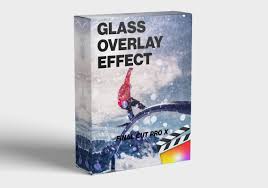
Name : FCPX Full Access – Glass Overlay Effects – Final Cut Pro
Size : 192 MB
27 organically captured Glass Overlays to give your footage that cripsy, subtle addition you’ve been looking for. Now housed within the FCPX Effects panel for pure convenience, drag and drop onto your footage for instant retro vibes.
Now also with powerful color controls so you can match the burns to your footage color palette
Pack includes:
– 11 x Cool Glass Overlay Effects
– 9 x Flame Glass Overlay Effects
– 7 x Red Hot Glass Overlay Effects
Compatibility: – Final Cut Pro X version 10.4.8 or later
Homepage https://fcpxfullaccess.com/products/glass-overlay-effects-final-cut-pro-x

Name : FCPX Full Access – Disclosure Face Effect for Final Cut Pro
Size : 2.65 MB
Adds intricate hand-drawn line art as a facial overlay with 15 original, hand drawn varieties to choose from. With the ability to manipulate, warp and shake this effect creates a similar style to Disclosure album artwork.
Compatibility: FCPX 10.4.8 or above
Homepage https://fcpxfullaccess.com/products/disclosure-face-effect-for-final-cut-pro-x

Name : ON1 Effects 2025.1 v19.1.0.16592
Size : 689 MB
Transform your photos with hundreds of built-in effects, filters, LUTs, and presets—all fully customizable to match your creative vision. Whether you’re looking for an HDR boost, vintage film styles, black & white conversions, or cinematic color grading, ON1 Effects 2025 has everything you need.
✅ 📸 Massive Collection of Effects & Filters
✔ HDR Look, Black & White, Lens Blur (Tilt-Shift), Glows
✔ Color Enhancer, Tone Enhancer, Split Toning, Film Looks
✔ Textures, Borders, and much more
✅ 🎨 Fully Customizable & Saveable Presets
✔ Edit & tweak effects to match your style
✔ Save your favorite looks as custom presets for fast application
✅ 🖌️ AI-Powered Tools & Blending Options
✔ Precise masking & blending for selective effects
✔ AI-assisted tools for effortless editing
✅ 🚀 Fast, Non-Destructive Workflow
✔ Works as a standalone app or as a plugin for Photoshop, Lightroom, and Capture One
✔ Real-time previews and quick application of effects
✅ 🔄 One-Click Filters for Instant Style
✔ Quickly apply stunning looks to any photo
✔ Customize intensity, color tones, and blending modes
📌 Compatibility: macOS 10.15 or later
📌 Latest Version: 2025.1 v19.1.0.16592
📌 Download: ON1.com
🎨 Unleash your creativity with ON1 Effects 2025! Try it now! 🚀

Name : ScreenSleeves 6.10.7
Size : 7 MB
Rediscover the beauty of album artwork while your Mac is idle! ScreenSleeves is a stunning fullscreen album cover screensaver that displays the currently playing track’s cover art and details from iTunes, Spotify, Swinsian, Pandora (Hermes), and more.
✅ 📀 Gorgeous Fullscreen Album Art
✔ Showcases high-quality cover artwork in a beautiful, fading display
✔ Multiple themes: Ambience, Classic, Text-only, Mosaic, Ken Burns effect, & Lyrics Mosaic
✅ 🔄 Floating Window Mode
✔ Use fullscreen OR as a small floating window
✔ Auto-switch between modes based on activity
✅ 🎶 Smart Music Detection
✔ Supports iTunes, Spotify, Swinsian, Hermes (Pandora), and more
✔ Automatically detects which player is active
✅ 🌍 Fetch Missing Artwork
✔ Retrieves album art from the web if missing from your library
✅ 🎛 Music Controls & Info
✔ Play/Pause, Skip, Back via keyboard shortcuts
✔ Shows bitrate, sample rate, file type, and bit depth (iTunes & Swinsian only)
✔ Displays rating, popularity, and loved status
✅ 📡 Multi-Mac Support
✔ Use ScreenSleeves Broadcaster to display music info playing on another Mac
📌 Compatibility: macOS 10.12 or later
📌 Download: PeacockMedia.software
🎶 Perfect for music lovers, parties, or just chilling. Try ScreenSleeves today! 🚀
Name : Wondershare PDFelement Pro 11.4.9
Size : 791 MB
Easily create, edit, convert, sign, and manage PDF documents with PDFelement 11! Featuring a redesigned UI, enhanced writing tools, improved team collaboration, and powerful conversion tools, it’s the go-to software for professionals and businesses alike.
✅ 📝 Edit PDFs Like a Pro
✔ Modify text, images, and layouts effortlessly
✔ Annotate PDFs with highlights, comments, and stamps
✔ Add, remove, reorder, or merge pages
✅ 📂 Convert PDFs with Ease
✔ Convert PDFs to Word, Excel, PowerPoint, EPUB, HTML, RTF, Text
✔ Supports PDF/A format for long-term archiving
✅ 🖋 Create & Sign Forms (Pro Exclusive)
✔ Generate fillable PDF forms with interactive elements
✔ Add digital signatures for secure authentication
✅ 🔎 OCR (Optical Character Recognition) (Pro Exclusive)
✔ Edit and convert text from scanned PDFs & images
✔ Supports 29 languages
✅ 📑 Advanced PDF Management (Pro Exclusive)
🚀 Batch Processing – Edit multiple PDFs at once
🚀 Merge PDFs – Combine files into a single document
🚀 Redact PDFs – Permanently remove sensitive text & images
🚀 Bates Numbering – Add page numbers for professional indexing
📌 Compatibility: macOS 10.15 or later
📌 Download: Wondershare.com
🔥 Simplify your workflow with PDFelement 11 – Try it today! 🚀
Name : SponsorBlock for YouTube 5.11.7
Size : 5 MB
SponsorBlock lets you skip over sponsors, intros, outros, subscription reminders, and other annoying parts of YouTube videos. SponsorBlock is a crowdsourced browser extension that let’s anyone submit the start and end time’s of sponsored segments and other segments of YouTube videos.
Once one person submits this information, everyone else with this extension will skip right over the sponsored segment.
You can also skip over non music sections of music videos.
Compatibility: macOS 10.14.6 or later
Mac App Store https://geo.itunes.apple.com/app/id1573461917
Name : OmniGraffle Pro 7.24.2
Size : 73 MB
OmniGraffle is redesigned for precision, beauty, and ease of use—whether you’re creating website wireframes, flowcharts, software diagrams, network layouts, family trees, or electrical system designs.
🔹 🎨 Powerful Design Tools
✅ Integrated Inspector & Stencil windows
✅ New Fill & Stroke styles for artistic designs
✅ Advanced Shape Combinations (Union, Intersection, Subtraction)
✅ Shared Layers for easy updates across multiple canvases
✅ Better Image Masking & Cropping
🔹 📐 Work Exactly How You Want
✔ Flexible object positioning & alignment
✔ Customizable templates, canvases, & stencils
✔ Resolution-independent Display Scale (match Apple points, PostScript points, or screen pixels)
🔹 📂 Pro Features for Advanced Users
🚀 Visio Import/Export – Open & edit Microsoft Visio (VSD, VDX, VSS, VST) files
🚀 Adobe Photoshop Export – OmniGraffle layers → Photoshop layers
🚀 Tables & Grids – Easily organize shapes into structured layouts
🚀 Custom Object Alignment – Control X/Y positioning of vertices for precise layouts
📌 Compatibility: macOS 10.10 or later (64-bit)
📌 Download: OmniGroup.com/OmniGraffle
🔥 Ready to elevate your diagramming workflow? Try OmniGraffle 7 today! 🚀
Name : RE:VisionFX Effections OFX 2025.1
Size : 301 MB
Effections are our bundled collections. RE:Vision Effects’ Twixtor used to retime up to 160x slower than real time. DEFlicker by RE:Vision Effects is designed to smooth out annoying flicker and artifacts when shooting high speed or timelapse video.
Homepage https://revisionfx.com/
Name : Aiarty Image Enhancer 3.3
Size : 125 MB
A generative AI-powered image enhancement tool that deblurs, denoises, restores, and upscales images—bringing superior clarity and sharpness with realistic details.
🔹 Deblur – Restore Clarity
AI intelligently fixes blurry, pixelated, or grainy images, making them crisp and lifelike. Perfect for:
✅ AI-generated images
✅ Heavily compressed photos
✅ Soft, out-of-focus images
🔹 Denoise – Remove Unwanted Noise
Deep learning reconstructs images, reducing noise from:
✔ Low-light photography
✔ Scanned images
✔ Post-production artifacts
🔹 Upscale – 4K/8K/32K Enlargement
AI-powered upscaling for 2x, 4x, or 8x enlargement without losing quality.
🎯 Achieve stunning 4K, 8K, or even 32K resolution!
🔹 More Details – AI-Generated Enhancements
A specialized AI model preserves and generates intricate details in:
✔ Skin, hair, textures, lines
✔ Low-quality or damaged images
📥 Input: JPG, PNG, TIFF, WebP, AVIF, RAW (DNG, CR3, NEF, ARW, RAF, ORF, etc.)
📤 Output: JPG, PNG (8-bit & 16-bit)
📌 Custom DPI Support
📌 Compatibility: macOS 10.15 or later
📌 Download: AIArty.com
🔥 Ready to transform your images with AI? Try AIArty now! 🚀