Free Macsoftware One click Download

We rank the best UK-licensed online casinos for real money and live craps in 2026, comparing bonuses, games, payouts, and mobile play. read the best online craps casino guide

Name : ForkLift 4.2.9
Size : 13 MB
🚀 ForkLift – The Ultimate Mac File Manager & FTP Client
ForkLift is a powerful and lightning-fast file manager combined with a versatile FTP client, designed to provide a seamless and efficient workflow for Mac users. Whether managing local files or connecting to remote servers, ForkLift offers unparalleled performance and advanced file management tools in a clean, Finder-like interface.
✅ Dual-Pane Interface – Work with two folders side-by-side for efficient file management
✅ Blazing-Fast FTP Client – Connect to SFTP, FTP, WebDAV, Amazon S3, Google Drive, SMB, AFP, NFS, Backblaze B2, Rackspace CloudFiles, and more
✅ ForkLift Mini – Manage files and servers right from the menu bar
✅ Two-Way Sync & Folder Synchronization – Keep files up-to-date across locations
✅ Quick Open & Multi-Rename – Batch rename files and open frequently used files instantly
✅ Archive Management – Create, extract, and manage ZIP, RAR, TAR, and more
✅ Built-in Remote Editing – Edit files directly on remote servers
✅ App Deleter – Uninstall applications cleanly with a single click
✅ Dropbox Integration – Sync favorites via Dropbox
✅ Dark Mode – Seamless macOS Dark Mode support
✅ Git Support – Easily manage version control files
✅ Hidden Files Toggle – Quickly show or hide hidden system files
✅ Keyboard-First Workflow – Perform tasks efficiently using custom shortcuts
✅ Built-in File Compare – Compare files with FileMerge, Kaleidoscope, Beyond Compare, or Araxis Merge
✅ Open in Terminal, iTerm, or Hyper – Directly open directories in your preferred terminal
✅ Quick Look & Spotlight Integration – Search and preview files instantly
📌 Compatibility: macOS 12.0 or later
📌 Languages: English, German, Hungarian, Polish, Russian, Ukrainian
📌 Official Website: ForkLift by BinaryNights
💡 Boost your productivity with the most powerful file manager & FTP client for macOS! 🚀

Name : Perfectly Clear WorkBench 4.6.1.2732
Size : 197 MB
Perfectly Clear Workbench is a powerful image correction tool designed to showcase Athentech’s Perfectly Clear processing libraries. It provides automatic and manual image enhancements, face detection, and quick export of correction settings for seamless integration with other software via an API.
✅ AI-Powered Image Correction – Automatically enhance images with intelligent adjustments
✅ Preprocessing Tools – Adjust input looks, exposure, and dynamic range
✅ Face-Aware Exposure – Automatically correct brightness in portraits and group photos
✅ New Color Tools – Improve color vibrancy, restoration, and black point adjustments
✅ Sky & Foliage Enhancements – Improve landscapes with targeted corrections
✅ Manual Face Detection & Region Editing – Fine-tune facial corrections with precision
✅ One-Click Face Zooming – Quickly focus on individual faces for better editing control
✅ Advanced Preset Management – Create, organize, and export custom presets
✅ Histogram & Color Picker Improvements – More precise control over tones and skin tones
✅ Export to API – Easily integrate corrections into custom applications using the SDK
📌 Compatible with macOS 10.10 or later
📌 Official Website: Perfectly Clear Workbench
💡 Enhance your images effortlessly with AI-powered corrections and precise manual adjustments! 🚀🎨

Name : MarsEdit 5.3.3
Size : 23 MB
MarsEdit is a powerful and efficient desktop blogging app that lets you write, edit, and publish blog posts directly from your Mac without relying on slow web interfaces. Whether you’re a casual blogger or a professional, MarsEdit streamlines your workflow by allowing you to compose posts offline, format them effortlessly, and manage multiple blogs with ease.
✅ Supports multiple blogging platforms: WordPress, Blogger, TypePad, Tumblr, Movable Type, and more
✅ Write in your preferred format: HTML, Rich Text Format (RTF), or Markdown
✅ Live Preview: See exactly how your post will look before publishing
✅ Offline Drafting: Write blog posts without an internet connection and publish later
✅ Integration with external editors: Works with TextMate, WriteRoom, BBEdit, and more
✅ Seamless image import: Directly add images from iPhoto, Lightroom, Flickr, or Aperture
✅ Quick and efficient blog management from a native Mac app
📌 Compatible with macOS 10.15.4 or later
📌 Official Website: MarsEdit
💡 Write, edit, and manage your blog with ease—MarsEdit is the perfect tool for bloggers who value speed and efficiency! 🚀🖊️

Name : iBarcoder 3.16.4
Size : 16 MB
iBarcoder is a powerful and easy-to-use barcode generator that allows you to create, design, and print barcode labels, stickers, and tags effortlessly on your Mac. With support for over 40 barcode symbologies, including 1D and 2D barcodes (such as QR Code and DataMatrix), this tool is perfect for businesses, retailers, and designers.
✅ Generate and customize barcodes – Create individual or sequential barcodes
✅ Print colorful barcode labels – Design labels of any size or shape
✅ Supports over 40 barcode types – 1D, 2D, QR Code, DataMatrix, and more
✅ Export in high resolution (up to 4800 dpi) – Save as vector and raster images
✅ Multiple file formats supported:
📌 Compatible with macOS 10.10 or later (64-bit)
📌 Latest Version: 3.16.4 (Release notes unavailable)
📍 Official Website: Cristallight iBarcoder
💡 Create professional barcode labels with ease—perfect for business, inventory, and product labeling! 🚀🎨
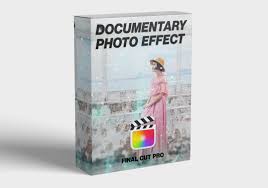
Name : FCPX Full Access – Documentary Photo Effect – Final Cut Pro
Size : 73.3 MB
Instantly turn your still photos into dynamic and engaging film moments with this drag and drop effect. Absolutely perfect for documentaries or just showing off still photos in your films!
Drag + Drop Effect ✅
Instantly Give Life to Still Photos ✅
Zoom In + Out ✅
Perfect for Documentaries ✅
33 Powerful Customizations ✅
Any Skill Level ✅
Compatible with M1 Macs ✅
Pack includes:
– Zoom In
– Zoom Out
– Handheld
Compatibility: FCP 10.5.1 or above
Homepage https://fcpxfullaccess.com/products/documentary-photo-effect-final-cut-pro
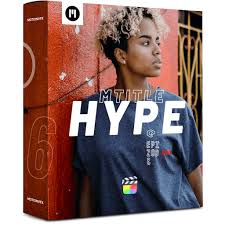
Name : Motionvfx – mTitle Hype FCPX
Size : 29.5 MB
mTitle Hype is a collection of remarkably energetic typography presets that are modern, dynamic, and eye-catching. Enhancing your edits with these unique text stylizations will give your work the leverage to stand out from the background. Boost your visuals, and let yourself be visible!
Homepage https://www.motionvfx.com/store,mtitle-hype,p3520.html

Name : Motionvfx – Mlowers Bar for Final Cut Pro
Size : 26 MB
mLowers Bar is a whole package of customizable, subtly designed and modern lower thirds that will amaze you with typography and animation. The slightly technical, but virtually universal layout of these presets gives you uninhibited possibilities to communicate with the viewers and grab their attention.
Compatibility:
Homepage https://www.motionvfx.com/store,mlowers-bar,p3213.html

Name : CrossOver 25.0.0
Size : 380 MB
Run Microsoft Windows software on your Mac without needing a Windows license, rebooting, or using a virtual machine! CrossOver Mac allows you to seamlessly launch Windows applications right from your Dock, while also supporting copy & paste, shared file systems, and other macOS features.
✔ No Windows License Needed – Run Windows apps without purchasing Windows
✔ Native macOS Integration – Launch Windows programs directly from your Dock
✔ CrossTie Technology – One-click installs for many Windows applications
✔ Seamless File Sharing – Share files between macOS and Windows apps effortlessly
✔ Optimized Performance – No need for a virtual machine, making apps run fast and efficiently
📌 Compatible with macOS 10.15 or later
📌 Requires reading the README.pdf in the Extra folder before installing CrossOver 23.0.0
📍 Official Website: CodeWeavers CrossOver
💡 Run your essential Windows apps on Mac with ease—no Windows installation required! 🚀💻

Name : PlainPad 1.3.4
Size : 5 MB
PlainPad is an editor for plain text files with a clean interface. With its extensive default settings, PlainPad offers a myriad of options to customize the writing environment to your own needs and preferences. Whether quick notes, ideas, tasks or extensive texts, PlainPad offers an environment for all types of writing to put your thoughts into words.
Compatibility: OS X 10.10 or later 64-bit
Homepage https://www.xelaton.com/

Name : Microsoft Office LTSC Standard for Mac 2024 v16.95
Size : 2.4 GB
Office LTSC 2024 offers a locked-in-time version of familiar productivity tools, updated with a subset of the features that have been added to Microsoft 365 Apps for enterprise over the last three years. New features for this release include Dynamic Charts and more than a dozen new text and array functions in Excel, enhanced search and meeting creation options in Outlook, and improvements to performance, security, and accessibility.
Word
Create and share professional-looking documents with state-of-the-art editing, reviewing, and sharing tools. The new Design tab provides quick access to features, and Smart Lookup shows relevant contextual information from the web directly inside Word.
Excel
Analyze and visualize your data in new and intuitive ways with a fresh user interface plus your favorite keyboard shortcuts. Leverage features like Analysis Toolpak, Slicers, and Formula Builder to save time, so you can focus on insights.
PowerPoint
Create, collaborate, and effectively present your ideas with new slide transitions and an improved Animations task pane. Threaded comments alongside your slides help you incorporate feedback into your presentations. And Presenter View displays the current slide, next slide, speaker notes, and a timer on your Mac, while projecting only the presentation to your audience on the big screen.
OneNote
It’s your very own digital notebook, so you can keep notes, ideas, web pages, photos, even audio and video all in one place. Whether you’re at home, in the office, or on the move, you can take it all with you wherever you go while sharing and collaborating with others. It’s great for school assignments, work projects, travel plans, party planning, and more.
Outlook
Easily manage your email, calendar, contacts, and tasks. Push email support keeps your inbox up to date, conversation view groups related messages, and calendars can be viewed side-by-side for planning.
Languages: English, العربية, 中文, Čeština, Dansk, Nederlands, Suomi, Français, Deutsch, Ελληνικά,
עברית, Magyar, Bahasa Indonesia, Italiano, 日本語, 한국어, Norsk, Polski, Português,
Русский, Slovenčina, Español, Svenska, ภาษาไทย, Türkçe