Jameskarke

Jameskarke

This user hasn't shared any profile information

Home page: http://macmyanmar.com

Posts by Jameskarke

Wondershare PDFelement Pro 10.2.5.6192 (OCR)

0

Name : Wondershare PDFelement Pro

Size : 737 MB

Wondershare PDFelement Pro for Mac Free Download

PDFelement

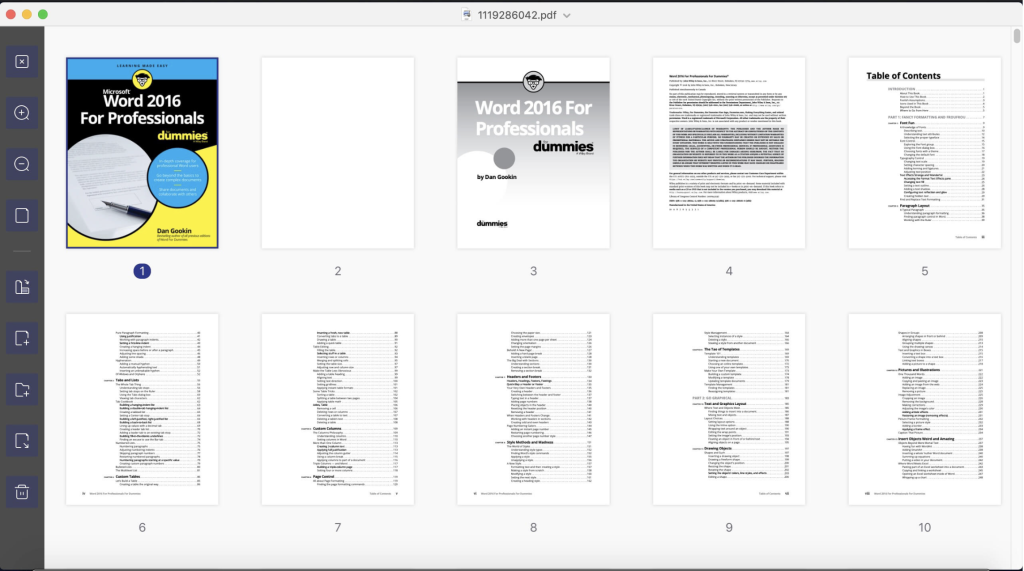
PDFelement is a comprehensive PDF solution that simplifies tasks related to creating, editing, converting, and signing PDF documents. The application, now introducing the all-new PDFelement 8, features a redesigned user interface, advanced writing tools, enhanced team collaboration capabilities, powerful conversion tools, a user management console, and more. The PDFelement Pro version includes additional exclusive features such as OCR, form creation and signing, PDF merging, expanded conversion options, PDF/A support, batch processing, Bates numbering, and redaction.

Key Features:

  1. OCR (Exclusive in Pro version):
  • Optical Character Recognition (OCR) enables users to edit and convert characters in scanned PDF files or images.
  • Supports recognition of 29 languages.
  1. Create & Sign Forms (Exclusive in Pro version):
  • Create fillable PDF forms with interactive field objects like buttons, check boxes, radio buttons, list boxes, and drop-down lists.
  • Support for adding digital signatures to forms.
  1. Merge PDF (Exclusive in Pro version):
  • Combine files in different formats into a new PDF document.
  1. Convert PDF (Exclusive in Pro version):
  • Converts PDF files to a greater number of output formats, including EPUB, HTML, Text, and RTF.
  1. PDF/A (Exclusive in Pro version):
  • Supports PDF/A as an available output format, following ISO Standard for long-term archiving.
  1. Batch Processing of PDF Files (Exclusive in Pro version):
  • Processes PDFs in batches, enabling users to add backgrounds, watermarks, headers, and footers in batches.
  1. Bates Numbering (Exclusive in Pro version):
  • Applies Bates numbering with advanced formatting.
  1. Redact PDF (Exclusive in Pro version):
  • Redacts sensitive text and images in PDFs.

Compatibility:

PDFelement is compatible with macOS 10.15 or later.

Homepage:

For more details and to explore the features of PDFelement, users can visit the official Wondershare PDFelement homepage.

PDFelement provides users with a user-friendly interface and a range of features that facilitate the management and manipulation of PDF documents. From standard tasks like editing and signing to advanced capabilities like OCR and batch processing, PDFelement offers a comprehensive solution for PDF-related workflows. The Pro version enhances these capabilities with exclusive features for even more functionality.
Download XnViewMP for Mac 1.6.4

0

Name : XnViewMP

Size : 92 MB

XnViewMP for Mac free Download

XnView MP

XnView MP stands as the enhanced version of XnView Classic, offering a powerful and cross-platform solution for media browsing, viewing, and conversion. With compatibility for over 500 image formats and support for various export options, XnView MP provides users with a versatile tool for handling a wide range of media files.

Key Features:

  1. Unrivaled Compatibility:
  • XnView MP supports more than 500 image formats, including multipage and animated still formats such as APNG, TIFF, GIF, ICO, and more. It also allows users to export to about 70 different file formats.
  1. Batch Conversion:
  • The application includes an easy-to-use yet powerful batch conversion module, providing users with the capability to convert multiple files simultaneously. This module is also utilized by XnConvert, offering enhanced batch conversion capabilities.
  1. Vast Format Support:
  • XnView MP is compatible with a wide array of image formats, ensuring users can work with diverse media files. From popular formats to specialized and less common ones, the application caters to different user needs.
  1. Preservation of XnView Classic Features:
  • Many of the standard features that users appreciate in XnView Classic have been preserved in XnView MP. The transition to the enhanced version maintains the familiarity of beloved features while introducing improvements.
  1. Tweaked and Enhanced Features:
  • Various features from the classic version have been tweaked and enhanced in XnView MP, providing users with an optimized and updated experience. These adjustments contribute to improved functionality and usability.

Compatibility:

XnView MP is compatible with macOS 10.13 or later, supporting 64-bit systems. This ensures broad compatibility with recent versions of the macOS operating system.

Homepage:

For more details and to explore the capabilities of XnView MP, users can visit the official XnView homepage.

XnView MP serves as a comprehensive media browser, viewer, and converter, making it a valuable tool for users dealing with a diverse range of image formats. With support for batch conversion, extensive compatibility, and preservation of familiar features, XnView MP caters to users seeking a versatile solution for managing and manipulating media files.

Download SimpleMind Pro for Mac 2.3.0

0

Name : SimpleMind Pro

Size : 6MB

Download SimpleMind Pro for Mac free

SimpleMind Desktop

SimpleMind Desktop is a mind-mapping tool designed to transform your Mac into a platform for brainstorming, idea collection, and thought structuring. The application facilitates the creation of mind maps, offering an intuitive interface for organizing and visualizing ideas. Additionally, SimpleMind Desktop connects with the companion SimpleMind app for iPhone and iPad, providing users with a seamless experience across devices.

Key Features:

  1. Intuitive Editing:
  • SimpleMind Desktop provides an easy-to-use interface for dragging, arranging, and editing mind maps directly on the Mind Map page. Users can seamlessly navigate and modify the structure of their mind maps.
  1. Node Well for Adding Topics:
  • Users can add new topics to their mind maps by tapping or dragging the Node Well. This feature simplifies the process of expanding and customizing mind maps with additional topics.
  1. Undo/Redo Functionality:
  • The application includes full Undo/Redo functionality in the editor, allowing users to backtrack or redo actions for effective and flexible mind map creation.
  1. Visual Styles:
  • SimpleMind Desktop offers visual styles that enable users to change colors, borders, and lines within their mind maps. This feature enhances the presentation impact of mind maps, providing customization options.
  1. Color Palette and Custom Colors:
  • Users can pick colors from a style palette or utilize custom colors to personalize the appearance of their mind maps. This flexibility allows for creative and visually appealing mind map designs.
  1. Cut/Copy/Paste:
  • The application supports standard editing functions such as Cut, Copy, and Paste, enabling users to move or duplicate topics between mind maps. This functionality streamlines the organization of content.
  1. Create New Mind Map:
  • Users have the option to create a new mind map from a selection or clipboard, facilitating efficient content creation and organization.
  1. Reconnect Topics with Drag-and-Drop:
  • SimpleMind Desktop allows users to reconnect topics using drag-and-drop, assisted by topic auto-layout. This feature enhances the fluidity of mind map creation and modification.

Compatibility:

SimpleMind Desktop is compatible with macOS 10.13 or later, ensuring broad compatibility with various versions of the macOS operating system.

In-App Purchases:

The application includes Pro Functionality as part of its features, providing users with enhanced capabilities.

Homepage:

For more information and to explore the application’s features, users can visit the official SimpleMind Desktop homepage.

SimpleMind Desktop serves as a versatile mind-mapping tool, offering an accessible and feature-rich environment for users to organize, visualize, and expand their ideas. With intuitive editing, visual customization, and seamless connectivity across devices, the application empowers users to create dynamic and engaging mind maps.


Download PDF Reader Pro for Mac 3.2.2

0

Name : PDF Reader Pro

Size : 119 MB

PDF Reader Pro for Mac Free Download

PDF Reader Pro Overview:

PDF Reader Pro is positioned as a versatile PDF powerhouse designed to meet a variety of document needs. The application encompasses a range of features, including annotation, editing, form filling, OCR (Optical Character Recognition), conversion, creation, signing, bookmarking, and PDF file protection. With a focus on providing comprehensive tools for working with PDFs, PDF Reader Pro facilitates users in efficiently navigating and managing their PDF documents.

Key Features:

  1. Annotation and Editing:
  • PDF Reader Pro provides robust annotation tools, allowing users to add comments, notes, and annotations to PDF documents. It also supports text editing within PDF files.
  1. Form Filling:
  • Users can fill out interactive PDF forms using the form-filling feature of PDF Reader Pro. This functionality is particularly useful for completing various types of forms electronically.
  1. OCR (Optical Character Recognition):
  • The application features OCR capabilities, enabling the conversion of scanned documents or images into editable and searchable text.
  1. Conversion and Export:
  • PDF Reader Pro supports the conversion of PDF files to various formats, including Microsoft Word (.docx), PowerPoint (.pptx), Excel (.xlsx), RTF, HTML, plain text, images, CSV, and more. This flexibility allows users to export PDF content to different file types.
  1. Create and Merge PDFs:
  • Users can create new PDF documents from scratch or merge and combine multiple PDF files into a single document. This feature facilitates document organization and customization.
  1. Presentation Mode:
  • PDF Reader Pro includes a presentation mode that allows users to showcase PDF documents in a presentation format. This mode enhances the user experience during presentations and collaborative discussions.
  1. Security and Protection:
  • The application enables users to protect PDF files by adding passwords and encryption. This ensures the security and confidentiality of sensitive documents.
  1. Microsoft Office® Compatibility:
  • PDF Reader Pro supports the conversion of PDF files to Microsoft Office® formats, making it convenient for users to work with PDF content in applications like Word, PowerPoint, and Excel.

Compatibility:

PDF Reader Pro is compatible with macOS 10.13 or later, ensuring compatibility with a range of macOS versions.

Homepage:

For additional details and exploration of features, users can visit the official PDF Reader Pro homepage.

PDF Reader Pro emerges as a comprehensive solution for working with PDF documents, offering a diverse set of tools for annotation, editing, conversion, and more. With features designed to enhance productivity and document management, users can efficiently handle various tasks related to PDF files.

Download Affinity Photo for Mac 2.3.1

0

Name : Affinity Photo

Size : 924 MB

Affinity Photo for Mac Free Download

Affinity Photo Overview:

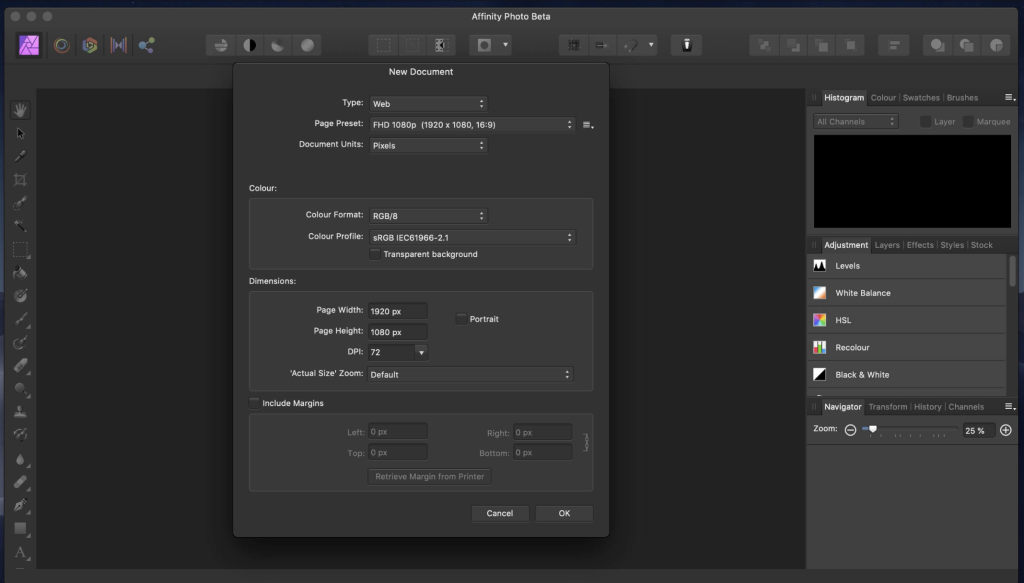
Affinity Photo stands as a professional-grade photo editing software designed for Mac users. The application redefines the boundaries of photo editing, offering sophisticated tools for enhancing, editing, and retouching images. With a meticulous focus on workflow, Affinity Photo provides an intuitive interface coupled with the power and performance required for professional photo editing.

Key Features:

  1. Professional Photo Editing:
  • Affinity Photo is engineered for professionals, providing advanced tools for photo editing. It offers a comprehensive set of features for enhancing and retouching images.
  1. PSD File Compatibility:
  • Users can open, edit, and save Photoshop® PSD files seamlessly within Affinity Photo. This compatibility ensures smooth collaboration and workflow for users familiar with Photoshop.
  1. Color Spaces and ICC Management:
  • The application supports various color spaces, including RGB, CMYK, Greyscale, and LAB. It features end-to-end CMYK workflow with ICC color management, ensuring accurate color representation.
  1. 16 and 32-bit Editing:
  • Affinity Photo supports full 16 and 32-bit per channel editing, allowing users to work with high-quality images and maintain precision in editing.
  1. Support for Standard Formats:
  • Users can work with standard image formats such as PNG, TIFF, JPG, GIF, SVG, EPS, EXR, HDR, and PDF. The application ensures compatibility with a wide range of file types.
  1. Live Previews and Real-time Editing:
  • Panning and zooming are always live at 60fps, providing users with live previews, live tools, and real-time editing. This feature enhances the overall workflow and user experience.
  1. High-Performance Editing:
  • Affinity Photo allows users to open and edit massive images without compromising performance or running out of memory. The application is optimized for handling large and high-resolution images.

What’s New in Version 2.3.1:

Release notes for version 2.3.1 were unavailable at the time of this update.

Compatibility:

Affinity Photo is compatible with macOS 10.15 or later, ensuring compatibility with the latest operating systems.

Homepage:

For additional details and exploration of features, users can visit the official Affinity Photo homepage.

Affinity Photo emerges as a powerful photo editing solution for professionals, combining advanced features with an intuitive interface. Whether working with standard image formats or collaborating with PSD files, users can benefit from a comprehensive set of tools for enhancing and retouching images with precision.

Download Affinity Designer for Mac 2.3.1

0

Name : Affinity Designer

Size : 832 MB

Affinity Designer for Mac free Download

Affinity Designer :

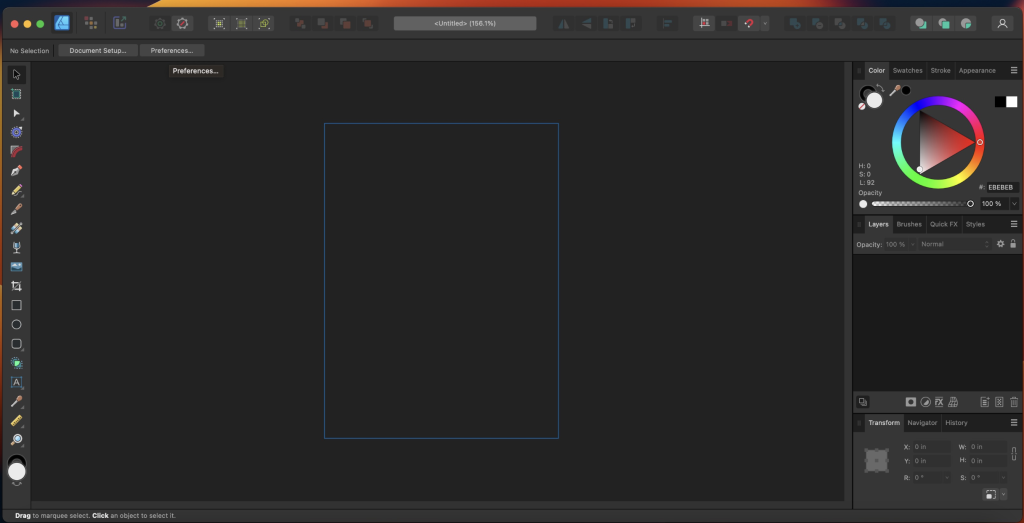
Affinity Designer stands as an advanced graphic design application tailored for Mac users. Offering a comprehensive suite of tools and features, the application caters to the needs of designers, providing the means to create graphic materials for websites, interface design, icons, and modern concept art.

Key Features:

  1. Versatile Graphic Design:
  • Affinity Designer serves as a professional-grade graphic design application suitable for a variety of creative projects, including websites, interface design, icons, and concept art.
  1. Customizable Workspace:
  • The application provides a versatile and fully customizable workspace that allows users to work with a docked or floating UI. It seamlessly integrates with macOS’ workflow features, including iCloud, Full Screen, and Spaces.
  1. Comprehensive Toolset:
  • Users have access to a wide range of design and graphic tools, including node, pen, crop, pencil, crop tools, vector brushes, gradient fill tool, text, alignment guides, and more.
  1. Real-time Pixel Control:
  • Affinity Designer offers accurate pixel control with a real-time pixel preview. This feature enables users to edit in pixels when needed, ensuring precision in design.
  1. Vector and Raster Tools:
  • The application provides vector and raster tools, including lasso tool, pixel and paint brush, eraser, blur, dodge, burn, smudge, selection brush, and sharpen.
  1. Stylus Support:
  • Users can utilize the pressure and velocity of a stylus to draw smooth, clean strokes with fully editable options. Brush texture, variable opacity, and natural-looking artwork can be achieved with vector editing benefits.
  1. Non-destructive Pixel Brush Tools:
  • Affinity Designer allows the use of pixel brush tools to erase and paint inside vectors in a non-destructive manner. This functionality enables the painting of shadows, textures, and highlights onto vector shapes with high precision.
  1. Broad Collection of Customizable Shapes:
  • The application offers a broad collection of customizable shapes that can be adjusted with the help of smart-snapping indicators and a full set of Boolean geometry operations.
  1. Color Space Support:
  • Users can choose to work in their desired color space, including RGB, LAB, CMYK, or Greyscale. The application provides full support for popular file formats, such as AI, PSD, PDF, and SVG.

What’s New in Version 2.3.1:

Release notes for version 2.3.1 were unavailable at the time of this update.

Compatibility:

Affinity Designer is compatible with macOS 10.15 or later, ensuring optimal performance on the latest operating systems.

Homepage:

For additional details and exploration of features, users can visit the official Affinity Designer homepage.

Affinity Designer emerges as a powerful and feature-rich graphic design application, offering a seamless environment for designers to create stunning visual materials. With a focus on versatility, customization, and precision, it caters to both professional designers and those engaged in various creative endeavors.
Download Affinity Publisher Mac 2.3.1

0

Name : Affinity Publisher

Size : 824 MB

Affinity Publisher for Mac free Download

Affinity Publisher Overview:

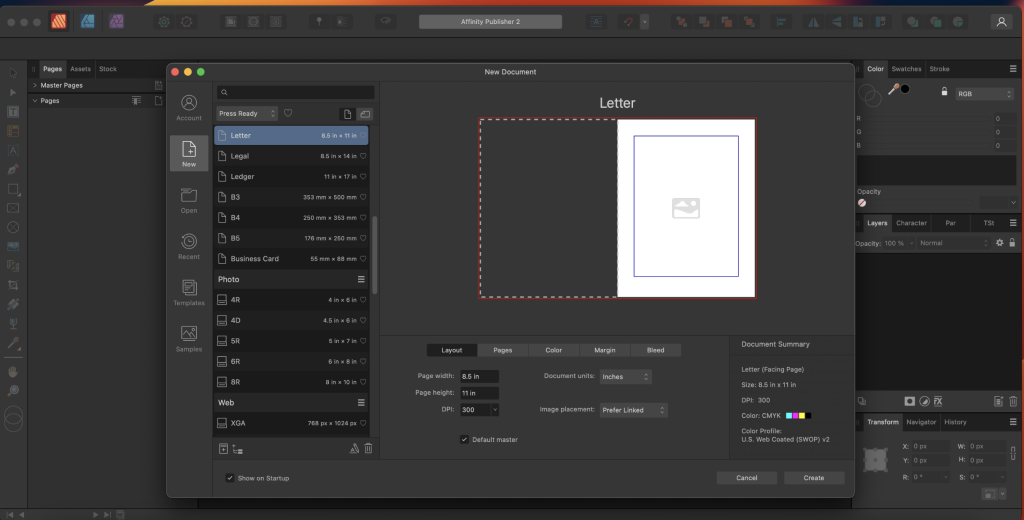
Affinity Publisher stands as the next generation of professional publishing software, designed to empower users to bring their creative visions to life. Whether creating magazines, books, brochures, posters, reports, or stationery, this intuitive application offers a seamless platform to combine images, graphics, and text, facilitating the creation of beautiful layouts ready for publication.

Key Features:

  1. Versatile Creations:
  • Affinity Publisher supports the creation of a wide range of projects, including magazines, books, brochures, posters, reports, and stationery.
  1. Intuitive Interface:
  • The application provides an incredibly smooth and intuitive interface, ensuring a user-friendly experience for designers and creators.
  1. Professional Layouts:
  • Essential features such as master pages, facing page spreads, grids, tables, advanced typography, text flow, and full professional print output empower users to craft perfect layouts.
  1. Double Page Spreads:
  • Affinity Publisher facilitates the creation of double page spreads, enhancing the visual impact of projects.
  1. Live Master Pages:
  • Users can leverage live master pages, including nested master pages, to efficiently manage and update design elements across the project.
  1. Image Frames and Scaling:
  • Image frames with intelligent scaling options provide flexibility in incorporating images seamlessly into layouts.
  1. Text Wrapping:
  • Fine-tune text wrapping with precise padding control for a polished and professional appearance.
  1. Custom Shaped Text Frames:
  • The application supports custom-shaped text frames, allowing for creative and unique text layouts.
  1. Linked Text Frames:
  • Easily link multiple text frames together across the document for efficient text flow management.
  1. Advanced Guides, Grids, and Snapping:
    • Benefit from advanced guides, grids, and snapping features to align and organize design elements precisely.
  2. Tables and Custom Formats:
    • Create tables with ease and customize table formats to suit the specific requirements of the project.

What’s New in Version 2.3.1:

Release notes for version 2.3.1 were unavailable at the time of this update.

Compatibility:

Affinity Publisher is compatible with macOS 10.15 or later, ensuring optimal performance on the latest operating systems.

Language Support:

The application offers multilingual support, accommodating users with diverse language preferences.

Homepage:

For additional details and exploration of features, users can visit the official Affinity Publisher homepage.

Affinity Publisher emerges as a comprehensive and user-friendly solution for professionals and creators engaged in publishing and design. Its feature-rich environment, combined with powerful layout and typography tools, positions it as a go-to software for realizing creative projects with precision and efficiency.

Download Boxy SVG for Mac 4.21.0

0

Name : Boxy SVG

Size : 179 MB

Boxy SVG for Mac free Download

Boxy SVG Overview:

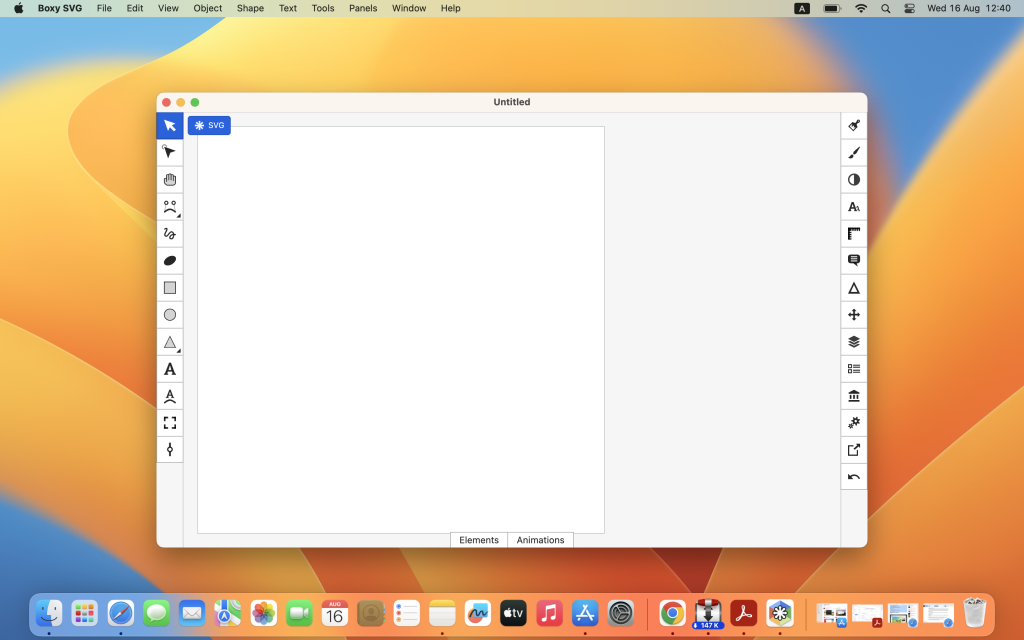
Boxy SVG is an SVG (Scalable Vector Graphics) editor designed to cater to the needs of both non-technical users and professional designers and developers. The project aims to provide an efficient and user-friendly SVG editing experience, making it accessible to a wide range of users, from beginners to experienced designers and developers. SVG is the standard format for storing vector graphics, commonly used for icons, banners, charts, and illustrations.

Core Features:

  1. Clean and Intuitive UI:
  • Boxy SVG features a clean and intuitive user interface, drawing inspiration from popular design tools such as Inkscape, Sketch, and Adobe Illustrator.
  1. On-Canvas Editing:
  • Extensive support for on-canvas editing allows users to manipulate object geometry, transform, paint, and other properties directly.
  1. Format Support:
  • Save projects in SVG and SVGZ formats. Export options include PNG, JPG, WebP, PDF, and HTML5.
  1. Open Clip Art Library Integration:
  • Integration with the Open Clip Art Library provides access to thousands of free stock vector arts for users to incorporate into their designs.
  1. Google Fonts Integration:
  • Access hundreds of free fonts through integration with Google Fonts, enhancing typographic options in designs.
  1. Configurable Keyboard Shortcuts:
  • Users have the flexibility to configure keyboard shortcuts for over 100 commands, allowing for personalized and efficient workflows.
  1. Path and Arrangement Operations:
  • Boxy SVG supports various path operations (e.g., unite, intersect, subtract) and arrangement operations (e.g., align, rotate, flip, group) for precise editing.

For Web Developers:

  1. Chromium-Based Rendering Engine:
  • Boxy SVG utilizes a Chromium-based rendering engine, ensuring reliable and consistent rendering.
  1. SVG and CSS Code Inspector:
  • Similar to Chrome Dev Tools, the editor provides an SVG and CSS code inspector for detailed examination and manipulation.
  1. Clean SVG Output:
  • The application generates clean SVG output that preserves essential metadata such as IDs, classes, and titles.
  1. SVG Sprites Editing Support:
  • Boxy SVG includes support for editing SVG sprites, offering flexibility for web development projects.

Compatibility:

Boxy SVG is compatible with macOS 10.15.0 or later, ensuring seamless integration with the latest operating systems.

Homepage:

For additional information about Boxy SVG and to explore its features, users can visit the official homepage.

Boxy SVG stands out as a versatile SVG editor that caters to users with varying levels of expertise. Its combination of a user-friendly interface, extensive feature set, and compatibility with web development needs positions it as a valuable tool for creating and editing SVG graphics.
Download Multitouch for Mac 1.27.24

0

Name : Multitouch

Size : 11 MB

Multitouch for Mac free Download

Multitouch

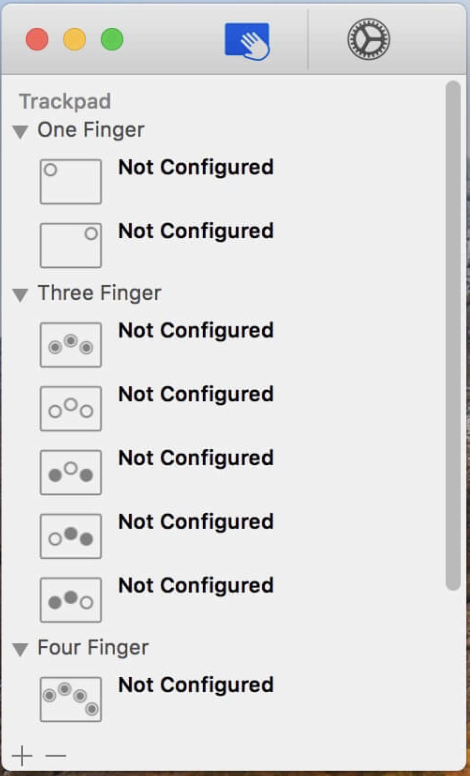
Multitouch is an application designed to enhance the macOS user experience by allowing users to easily add custom actions to specific gestures performed on magic trackpads or magic mice. This tool enables the customization of actions tied to various gestures, providing users with the flexibility to optimize their workflow. By associating gestures with specific actions, users can streamline tasks, execute keyboard shortcuts, control browser tabs, perform middle mouse clicks, and more.

Key Features:

  1. Gesture Customization:
  • Multitouch empowers users to customize actions associated with magic trackpad or magic mouse gestures. This enables the creation of a personalized and efficient user experience.
  1. Growing List of Gestures and Actions:
  • The application offers a growing list of gestures and actions, providing users with a versatile set of options for enhancing their interactions with macOS.
  1. One-Time Purchase and Free Updates:
  • Users can make a one-time purchase of Multitouch and receive free updates, ensuring access to the latest features and improvements over time.
  1. Privacy:
  • The app prioritizes user privacy and does not gather any user data. This commitment to privacy enhances the user experience by ensuring data security.
  1. No Accessibility Privileges Required:
  • Multitouch operates without requiring Accessibility privileges to run, simplifying the setup process for users.

What’s New:

  • The release notes for version 1.27.24 were not available at the time of this update.

Compatibility:

Multitouch is compatible with macOS 10.15 or later, ensuring that users can seamlessly integrate it into their workflow on the latest operating systems.

Homepage:

For more information about Multitouch and its features, users can visit the official homepage.

Multitouch serves as a valuable tool for macOS users seeking to enhance their productivity and streamline interactions with magic trackpads and magic mice. With its customizable gestures and actions, along with a commitment to user privacy, the application provides a versatile and user-friendly solution for optimizing the macOS user experience.

Download Kite for Mac 2.1.2

0

Name : Kite

Size : 33 MB

Kite for Mac free Download

Kite Compositor

Kite Compositor is a powerful tool designed for animation and prototyping on macOS and iOS platforms. It facilitates the creation of visually appealing interfaces by providing a WYSIWYG canvas where users can drag-and-drop layers to build intricate designs. The application comes equipped with animation tools and an integrated timeline for precise control over the design’s dynamic elements. Additionally, it offers a javascript scripting environment to enhance interactions with custom logic and behavior.

Key Features:

  1. WYSIWYG Interface Builder:
  • Kite Compositor allows users to visually drag-and-drop layers, making it easy to construct complex interfaces within a What You See Is What You Get (WYSIWYG) environment.
  1. Animation Tools:
  • Users can add animations to layers and fine-tune them using the integrated timeline. This feature enables the creation of dynamic and visually appealing interfaces.
  1. Javascript Scripting:
  • The application incorporates a javascript scripting environment, providing users with the ability to enhance interactions with custom logic and behavior.
  1. Prototyping:
  • Kite Compositor is designed to support the prototyping process, allowing users to create interactive and animated prototypes for macOS and iOS.
  1. Compatibility:
  • The application is compatible with macOS 11.0 or later, ensuring users can leverage its features on the latest operating systems.

Homepage:

For more information about Kite Compositor and its features, users can visit the official homepage.

Kite Compositor stands out as a versatile tool for designers and developers, offering a range of features for animation, prototyping, and interface building. With a user-friendly WYSIWYG canvas, animation tools, and scripting capabilities, it provides a comprehensive environment for creating dynamic and interactive designs for macOS and iOS platforms.

Jameskarke's RSS Feed
Go to Top